
Key Takeaways: Quick Fixes
If you are in a rush and just want the TV to work, try these steps in this order:
- The "Magic" Reboot: Find the black Enseo box (usually velcroed behind the TV). Unplug its power cord, wait 10 seconds, and plug it back in. This fixes about 90% of issues.
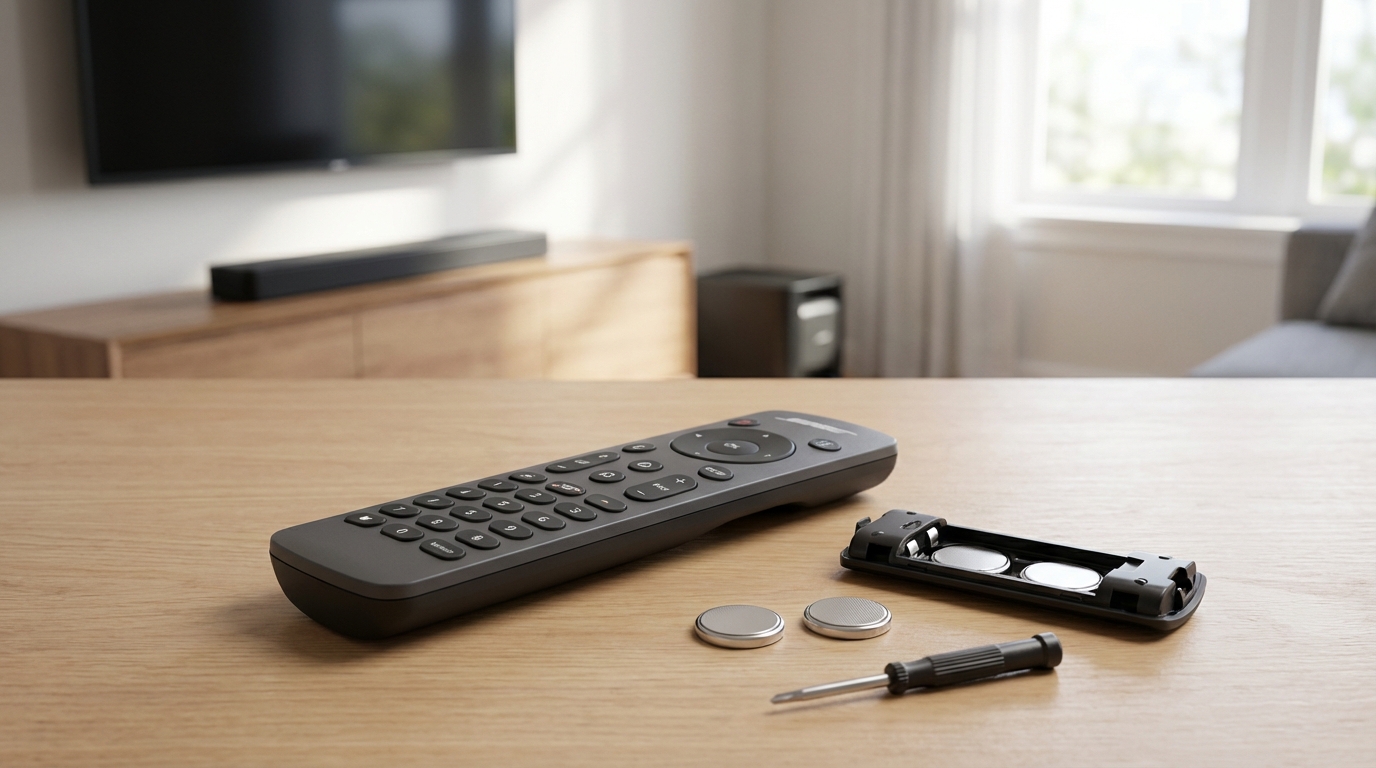
- The Battery Spin: Open the back of the remote, spin the batteries in place, or swap their positions. Hotel batteries are often cheap and lose contact.
- Check the "Eye": Look for a small little bulb on a wire stuck to the front of the TV frame. If it fell off, stick it back over the TV's sensor.
- Line of Sight: If the remote isn't paired via Radio Frequency (RF), you must point it directly at that little bulb or the set-top box, not just generally at the TV.
The Direct Fix: Reboot the Set-Top Box
Most people think the problem is the remote itself, but usually, it's actually the box that the remote talks to. Enseo systems use a separate "set-top box" that acts like a cable box. In hotels, these are almost always hidden.
Reach behind the TV. You are looking for a small, black square device. It is usually stuck to the back of the television with heavy-duty velcro or zip-tied to the mount. It will have an HDMI cable and a power cable coming out of it.
Do this: Pull the round power plug out of that little box. Do not just turn off the TV. You have to cut power to the box. Count to ten slowly. Plug it back in. You will likely see a splash screen on the TV with the hotel logo or the Enseo logo. Once it reboots, try the remote again. This resets the communication link between the remote and the system.
Troubleshooting the Batteries (It's Not Always What You Think)
If the reboot didn't work, we have to look at the power source. Now, I know what you're thinking-"I don't have spare AA batteries in my suitcase." Thats fine. Most of the time the batteries aren't actually dead.
Hotel remotes get dropped. A lot. When they hit the floor, the batteries can shift just enough that they aren't making a solid connection with the metal terminals inside. Also, hotels buy batteries in bulk, and sometimes corrosion builds up invisible layers on the contacts.
Open the battery compartment. Take the batteries out completely. Inspect the metal springs. If they look flattened, gently pry them out a tiny bit so they are springy again. Put the batteries back in but swap them (put the left one in the right slot and vice versa). Then, give them a good spin with your thumb while they are in the slot. This friction scrapes off oxidation and usually gets you enough juice to change the channel.
The "Camera Test"
You can check if the remote is sending a signal using your phone. This is a cool trick a tech guy showed me once. Turn on your smartphone camera (use the front-facing "selfie" camera, it works better for this). Point the remote control at the camera lens and press a button.
Look at your phone screen. If you see a faint purple or pink light flashing from the tip of the remote, the remote is working and has power. If you see no light, the remote is dead, and you need to call the front desk for fresh batteries.
Check the IR Extender Cable
This is the most common physical problem I see in hotel rooms. Because the Enseo box is hidden behind the TV, the remote cannot "see" it. To fix this, installers plug a small wire into the box that has a little sensor (an IR receiver) on the end. They stick this sensor to the front bezel of the TV.
However, housekeeping wipes down the TV, or guests mess with it, and that little sticky sensor falls off and dangles behind the TV. If the sensor is hanging behind the TV, your remote signals are hitting the plastic TV frame and never reaching the brain of the system.
The Fix: Look around the edges of the TV. Do you see a thin wire dangling with a small plastic "bud" on the end? If yes, pick it up and hold it while pointing the remote at it. If the channels change, you just need to stick that bud back onto the front of the TV where the remote can hit it. You can usually just wedge it into the frame if the sticky tape is gone.
Re-Pairing the Remote (For E3 and E4 Models)
Sometimes the remote forgets who it is talking to. Enseo remotes, specifically the E3 and E4 models (the ones usually found in Marriotts or Hiltons), often use RF (Radio Frequency) technology. This is great because it means you don't have to point the remote at the TV. But, if the pairing breaks, it stops working entirely.
There isn't a universal "pairing button" on every model, but here is the standard protocol for getting the remote to search for the box again:
- Stand fairly close to the TV (within 3 or 4 feet).
- Look for a button labeled Link, Menu, or sometimes a combination of colored buttons. On many Enseo remotes, you need to press and hold the Channel Up and Volume Up buttons simultaneously for about 3-5 seconds.
- Watch the little LED light at the top of the remote. If it blinks twice or turns solid, it has entered pairing mode.
- Press the main button on the Enseo set-top box (if you can reach it behind the TV). There is often a small button on the side of the box for pairing.
If this sounds too complicated or you can't reach the buttons, go back to the "Reboot the Box" step. A reboot forces the box to look for active remotes in the room.
Checking Cables and Inputs
Sometimes the remote is working fine, but the TV is just ignoring it. This happens when the TV gets switched to the wrong input. The Enseo box is usually plugged into HDMI 1 or HDMI 2.
If the TV screen says "No Signal" or is just black, the remote won't bring up the guide because the TV isn't looking at the Enseo box. Look for a button on the side or bottom of the actual physical TV (not the remote) labeled "Input" or "Source." Tap that button until you cycle through to the HDMI port where the black box is connected.
Also, check the HDMI cable itself. The housekeeping staff moves these TVs around to dust behind them. It is very easy for the HDMI cable to wiggle loose from the back of the box. Give the cables a firm push to make sure they are seated all the way in.
Why Does This Happen So Much?
You might be wondering why hotel TV systems are so finicky compared to your setup at home. According to industry info, systems like Enseo are designed for "content management," not just changing channels. They have to interface with the hotel's billing system (so you can checkout from the TV), the internet, and Netflix login credentials.
Because the system is doing so much work-verifying that you are a registered guest, checking if you bought a movie, resetting your personal data-the little computer inside the box can freeze up just like a laptop does. It's rarely the remote's fault; it's the software crashing in the background. That is why the power cycle (reboot) is the gold standard fix.
When to Call the Front Desk
I hate calling the front desk as much as you do. You're in your pajamas, you don't want maintenance knocking on the door. But there are times when you cannot fix it yourself.
Call them if:
- You see physical damage to the remote (cracked casing, leaking batteries).
- The light on the remote flashes red rapidly when you press buttons (this indicates critical battery failure or hardware error).
- You have rebooted the box, checked the cables, and spun the batteries, and it's still dead.
Pro Tip: When you call, don't just say "My TV isn't working." Tell them, "I've already power cycled the set-top box and the remote still won't connect." This tells them you aren't tech-illiterate, and they will likely just send someone up with a brand new remote immediately rather than trying to walk you through basic steps over the phone.
Alternative: The Universal Remote Hack
If you travel a lot, you might carry a universal remote or have a phone with an IR blaster (though those are rare on newer phones). If you have a universal remote, Enseo boxes generally respond to standard protocols, but it can be tricky. Enseo isn't always listed in the code books.
However, many Enseo setups are actually controlling LG or Samsung commercial TVs directly for volume and power, while the channel changing goes through the box. If you can't change the channel, try to see if you can at least change the volume. If volume works but channels don't, you know specifically that the communication between the remote and the box is down, not the remote and the TV.
Hygiene Note (Just a friendly reminder)
While you are fiddling with this remote, remember that studies show the TV remote is often the dirtiest item in a hotel room. It rarely gets sanitized properly. Since you are popping battery covers and pressing buttons, go wash your hands immediately after you get it working. Or, wrap the remote in the plastic ice bucket liner-it works right through the plastic!
Summary of the Hardware
To help you identify what you are looking at, here is a quick breakdown of common Enseo gear:
The Remote: usually long, slight curve, often has a Netflix or YouTube button prominently displayed. It feels lighter than a home remote.
The Box: Enseo set-top boxes (STB) are small, fanless computers. They might have a label like "Enseo E3" or "E4". They usually have a chaotic mess of cables tied up behind them.
The Dongle: Some newer systems use a stick that looks like a chunky Amazon Fire Stick plugged directly into the HDMI port. If you have this, the "reboot" involves unplugging the USB power cable going into that stick.
Frequently Asked Questions
Q: I rebooted the box and now the TV is just showing a "Loading" bar for 5 minutes. Is it broken?
A: No, actually that's a good sign. Hotel systems pull a lot of data from the server when they boot up (channel lineups, guest names, current time). It can take up to 10 minutes for an Enseo box to fully boot and stabilize. Give it time. Go brush your teeth and come back.
Q: Can I use an app on my phone to control the hotel TV?
A: Generally, no. Unlike your home Roku or Apple TV, hotel boxes are on a secure, isolated Wi-Fi network that your phone cannot access. Unless the hotel specifically offers an app for their room automation, you cannot pair your phone to the Enseo box over Wi-Fi.
Q: The volume works but the channels won't change. Why?
A: This means the remote is successfully sending "IR" (Infrared) signals to the TV for sound, but the "RF" (Radio) signal to the cable box is broken. This confirms the batteries are okay. You need to reboot the black box behind the TV to reset the radio connection.
Q: The remote works but it's super slow and laggy.
A: This is usually "network latency." The box is struggling to talk to the hotel server. It's not the remote's fault. Try the reboot trick. If that fails, it's just bad hotel internet, and there isn't much you can do about it except complain at checkout.
Q: There is no box behind the TV. Now what?
A: In some high-end or newer setups, the Enseo technology is built directly into the TV (often called a "smart hospitality TV"), or the box is hidden in the furniture/credenza with a long wire running to the TV. If you can't find the box to unplug it, look for the main power cord of the Television itself and unplug that. Wait 30 seconds and plug it back in. That should force a system restart.