
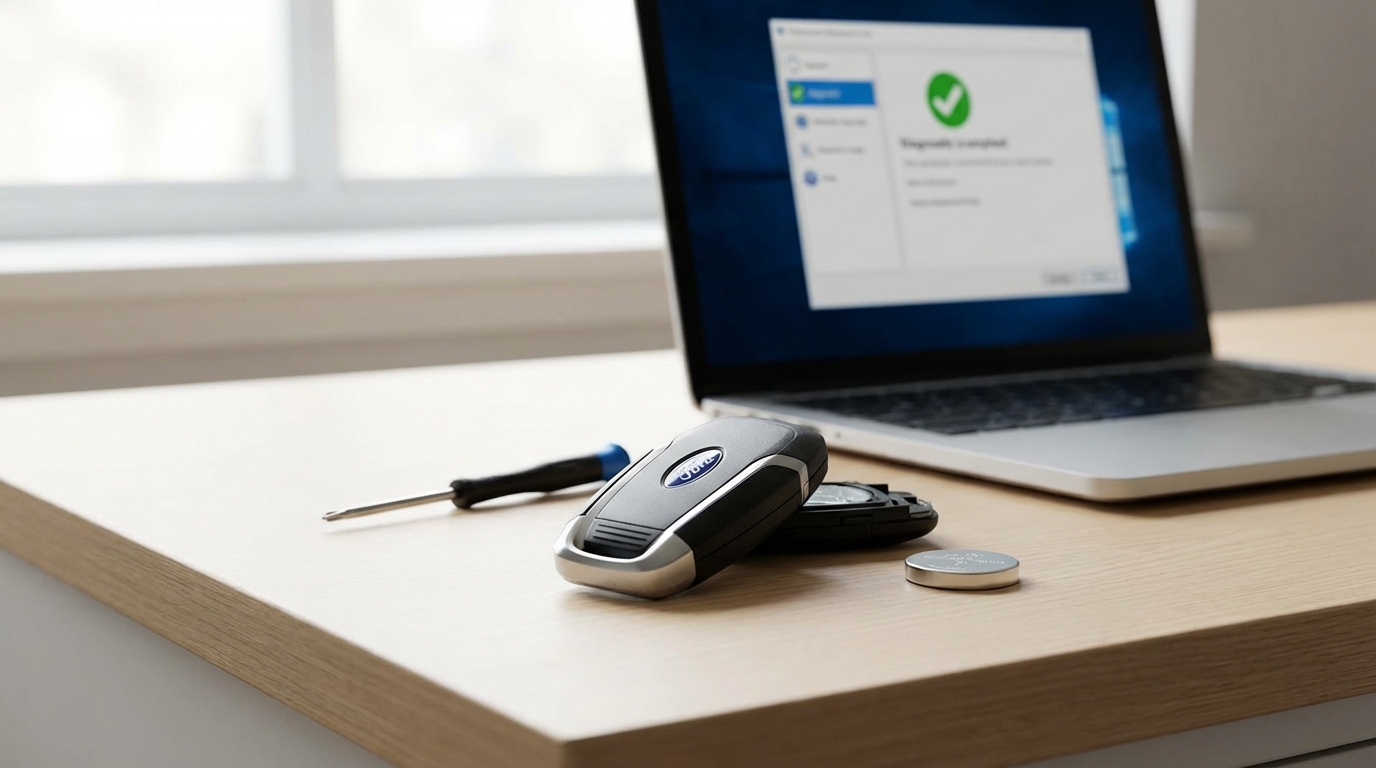
The Quick Fix: Change the Battery
If your Hyundai remote key isn't unlocking the doors or starting the car, it is almost certainly a dead battery. You don't need a mechanic. You need a CR2032 3-volt battery (or sometimes a CR2450 for newer large fobs). You can buy these at any grocery store or pharmacy for like $5.
Here is how you fix it in 2 minutes:
- Take the mechanical key out (press the small silver button on the back).
- Locate the small slot or pry point inside the casing.
- Use a flathead screwdriver (or a coin) to gently twist and pop the case open.
- Swap the old battery for the new one. Make sure the + side is facing up.
- Snap the case back together.
If that didn't work, or if you are currently stranded in a parking lot and need to get home right now, keep reading. I'll walk you through how to start the car even if the key is totally dead.
Key Takeaways
- Most Common Cause: A drained CR2032 coin battery is the culprit 90% of the time.
- Emergency Start: You can still start your Hyundai by pressing the key fob directly against the Start/Stop button.
- Red Light Check: If the little red LED on the fob doesn't flash when you press a button, the battery is dead or the contacts are dirty.
- Interference: Being parked near radio towers or neon signs can actually block the signal.
- Cost: DIY battery fix is ~$5. Dealer replacement key is $250+.
Step 1: The Battery Swap (Detailed Walkthrough)
Okay, lets slow down and do this properly. Like I said up top, this is the most common issue. These key fobs are constantly sending out little radio signals looking for your car, even when its just sitting in your pocket. That drains the juice eventually.
Most Hyundais from the last 10 years (Elantra, Sonata, Tucson, Santa Fe) use a Smart Key. If you have an older model with a key that physically flips out, the process is pretty much the same.
How to open the Hyundai Smart Key
I’ve done this a dozen times on my own car. Its actually pretty simple but feels scary because you think you might break the plastic. You probably wont.
- Remove the metal key: Look for the small button on the back or side. Hold it down and pull the metal keyring loop. The emergency key slides out.
- Find the slot: Look at the end of the fob where the key just came out. You will see a slot that is not the hole the key came from. It's usually a shallow indentation.
- Twist, don't pry: Put the tip of a flathead screwdriver or the tip of the metal key into that slot. Twist it like you are turning a doorknob. The case should pop apart with a satisfying click.
- Replace: Note how the battery sits. The writing (CR2032) usually faces you. Pop it out-you might need a fingernail or a paperclip-and put the new one in.
Once you snap it back together, try to unlock the car. If the lights flash, you're golden.
Step 2: Emergency Start (How to Drive Home with a Dead Fob)
This is the part that panics people. You press the "Start" button and the dashboard says "Key Not Detected." It's super annoying, but you are not stranded.
Hyundai engineers, surprisingly, thought of this. Even if the battery in your fob is dead as a doornail, there is a passive chip inside that works like an ID badge.
For Push-Button Start Models
If you have a "Push to Start" button, do this:
- Put your foot on the brake, just like normal.
- Hold the key fob in your hand.
- Use the nose of the key fob to push the Start button. Literally press the button with the key fob itself.
The car has a sensor right behind that button. By touching them together, the car can read the chip even without battery power. It might take two tries, but it almost always works.
For Newer Models (2021+) with Remote Start
Some newer Hyundais (like the Palisade or new Tucson) have a specific "pocket" or spot in the center console or cupholder where you are supposed to place the dead key. Check your owner's manual quickly if the "push the button" trick doesn't work. But generally, pushing the button with the fob is the universal fix.
For Key Turn Ignitions
If you have a standard key ignition, well... you just turn the key. The battery in the fob is only for the remote locks. The chip to start the engine is powered by the ignition switch itself, so you shouldn't have any issue starting the car unless your car battery is dead.
Step 3: Check the Internal Contacts
So, you changed the battery and it's still not working? That's frustrating. Before you go buy a new key, open it up again.
Sometimes, the little metal prongs that touch the battery get bent down or get dirty. If they aren't making a solid connection, the battery wont work.
- Take the battery out.
- Look at the metal contacts. Are they flat?
- Very gently use a small screwdriver to pry them up just a tiny bit. You want them to have some "spring" so they push against the battery.
- Wipe them with a clean cloth or a q-tip with a tiny bit of rubbing alcohol if they look corroded.
This happens a lot if the key went through the washing machine (we've all been there) or got dropped in a puddle. Speaking of which...
Step 4: Water Damage and Physical Trauma
Did you drop your keys? Like, a lot? Or did they take a swim?
Electronics hate water. If your key fob got wet, the circuit board inside might be fried. If you just dropped it in water recently:
- Open it immediately.
- Take the battery out.
- Put the parts in a bowl of dry rice or silica gel packets (those little "do not eat" bags) for 24 hours.
- Do NOT use a hairdryer. The heat can melt the solder or warp the plastic.
If it's been a few days and it's not working, the board is likely corroded. Unfortunately, this means you probably need a replacement key.
Step 5: The "De-Programming" Myth (and Reality)
You might hear people say, "Oh, your key lost its memory."
To be honest, this is rare. Modern keys hold their programming pretty well. According to most automotive locksmiths, it is very unlikely a key will just "forget" the car because the battery died. The memory is non-volatile.
However, the receiver in the car can act up.
Sometimes the issue isn't the key, it's the car's computer getting confused. You can try a "hard reset" on the car's system. This is a bit of a hail mary, but it costs nothing:
- Disconnect the negative terminal on your car battery (the main 12V battery under the hood) for about 15 minutes.
- Reconnect it.
This resets the car's electronic modules. Sometimes-just sometimes-this wakes up the receiver and it recognizes the key again.
Step 6: Signal Interference
This sounds like sci-fi stuff, but it's real. I once parked my Santa Fe near a massive radio transmission tower, and my remote wouldn't work at all.
Radio Frequency (RF) interference can block the signal. This can happen near:
- Police stations.
- Airports.
- Large neon signs.
- Power substations.
- Even having your key in the same pocket as a high-end smartphone can sometimes cause issues.
If your key doesn't work in one specific location but works fine at home, it's interference. Use the physical key to unlock the door and the "fob-to-button" trick to start the car. Once you drive away, it'll work fine.
Step 7: The Car Battery (Don't Overlook This)
If you press the unlock button and nothing happens-no lights flash, no horn beep, no click-and the little red light ON THE KEY FOB is flashing... then your key is fine.
Your car battery is dead.
The key is sending the signal, but the car is too dead to hear it. Try turning on your headlights manually. If they are dim or don't turn on, you need a jump start, not a key fix.
When to Call a Pro (and Who to Call)
If you've swapped the battery, cleaned the contacts, checked the car battery, and it still doesn't work, the fob is likely dead. Maybe a solder joint broke inside.
You have two options:
1. The Dealership
Pros: Guaranteed to work. They use OEM parts.
Cons: Expensive. Like, really expensive. You're looking at $250 to $400 for a new smart key, plus a "programming fee." It's highway robbery if you ask me, but it's the safe bet.
2. Automotive Locksmith
Pros: Usually much cheaper. They can often come to your driveway.
Cons: Quality of aftermarket keys can vary.
My advice? Call a local locksmith first. Ask if they can program a "smart key" for your specific Hyundai model. Most of them have the computer tablets to do it now, and they usually charge half of what the dealer does.
Troubleshooting Checklist
Before you spend money, run through this list one last time:
- [ ] Did I remove the plastic sticker from the back of the new battery? (I've done this, don't laugh).
- [ ] Is the battery + side up?
- [ ] Is the car battery charged?
- [ ] Am I using the correct battery type (CR2032 vs CR2025)?
- [ ] Is the spare key working? (If the spare works, the issue is definitely your main fob).
Frequently Asked Questions
What battery does a Hyundai key fob use?
Almost all modern Hyundais (2010 to present) use a CR2032 3-volt lithium coin battery. Some older models might use a CR2025, and some very new large fobs might use a CR2450. Pop it open to check the number engraved on the battery before buying.
Can I program a Hyundai key fob myself?
For the remote lock/unlock on older cars (pre-2010ish), sometimes there are manual sequences involving turning the ignition key on and off. But for modern Smart Keys (push-to-start), no. You cannot program it yourself. You need a specialized computer that plugs into the car's OBDII port. You have to go to a locksmith or dealer.
Why does my dashboard say "Key Not Detected"?
This usually means the battery in the fob is weak. However, if you just changed the battery and it still says this, check the battery orientation. Also, try holding the fob closer to the start button. If you have a phone charger plugged in nearby, unplug it-sometimes cheap chargers cause interference.
How much does a replacement Hyundai key cost?
If you just need the plastic shell because the buttons broke, that's like $15 on Amazon. If you need the electronics inside:
Locksmith: $150 - $250
Dealer: $300 - $500
Can I drive my Hyundai without the key fob?
Once the car is started, yes, you can drive it. The car won't shut off if you throw the key out the window (safety feature). However, once you turn the engine off, you won't be able to start it again without the key. Also, the car will beep at you aggressively while driving.
Hope this gets you back on the road! Don't stress, its usually just that $5 battery.