
Key Takeaways
- Most Likely Cause: Dead battery (usually a CR2025 or CR1620 depending on the year).
- Quick Reset: For older models, you might need to do the "door open, key turn" cycle to resync the fob.
- Emergency Start: You can still start your Mazda 3 by pushing the start button with the Mazda logo side of the key fob even if the battery is dead.
- Signal Blockers: Check if you installed new LED lights or dashcams recently; they can jam the signal.
- The "Sleep" Mode: Newer fobs have a battery-saving mode that turns off the signal if you press buttons in a specific sequence.
The Short Answer: It’s Usually the Battery
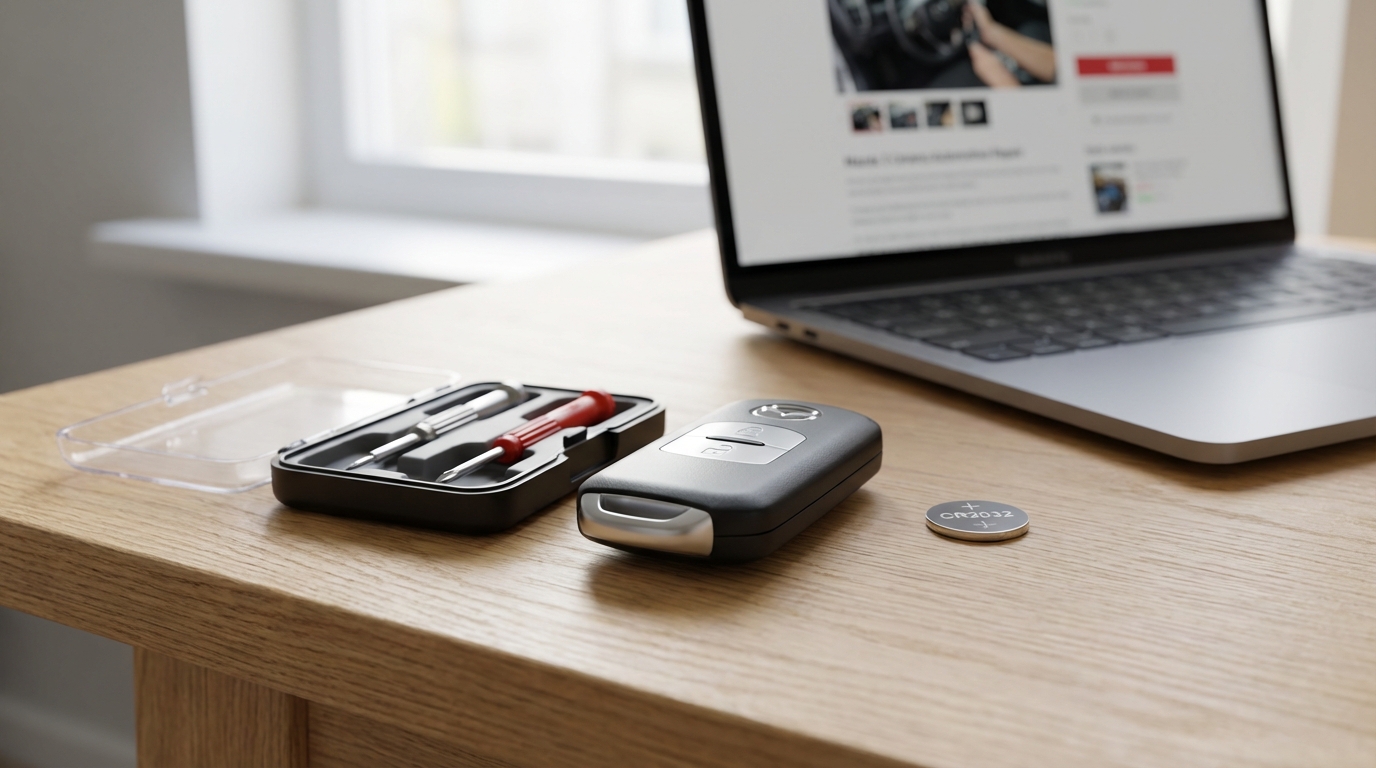
If your Mazda 3 remote key isn't working, stop panicking. 90% of the time, it is just a dead coin battery inside the fob. Even if you think you just changed it, sometimes those cheap batteries from the dollar store die in a month. So, before you call a locksmith or tow the car to the dealer, go buy a high-quality CR2025 battery (for most Smart Keys) or a CR1620 (for older switchblade keys).
If you swap the battery and it still doesn't work, then we look at reprogramming or fuse issues. But seriously, change the battery first.
Step 1: Replacing the Battery (The Right Way)
Replacing the battery is pretty easy but you gotta be careful not to break the plastic clips. I’ve broken a few in my day and its super annoying because then the key feels loose forever.
For Newer "Smart" Fobs (2014-Present)
These are the rectangular keys that you leave in your pocket. Here is how you tackle it:
- Remove the auxiliary key: There is a little knob or slide on the back. Pull that and slide out the metal physical key.
- Find the slots: Once the metal key is out, look inside the slot. You will see two small grooves on the left and right walls.
- Twist to open: Take a small flathead screwdriver (or the tip of the metal key if you're stuck), insert it into those grooves, and gently twist. The case should pop open a tiny bit.
- Separate the halves: Run your fingernail or a plastic pry tool down the side to separate the case completely.
- Swap the battery: You'll see the round battery under a cap. Remove the old one. Put the new CR2025 in with the positive (+) side facing up.
- Snap it back: Line it up and squeeze until it clicks. Done.
For Older "Switchblade" Fobs (2004-2013)
These are the ones where the key flips out like a knife. The process is a bit different.
- Flip the key blade out.
- Look for a small notch inside the channel where the key usually sits.
- Use a small screwdriver to push the tab and separate the remote part from the key blade part.
- Once separated, pry the remote half open (like an oyster).
- Replace the battery (usually a CR1620).
According to some forums and even the owner's manual, using the wrong battery thickness (like forcing a CR2032 into a CR2025 slot) can bend the contacts. So try to stick to the exact number.
Step 2: The "Magic" Reprogramming Sequence
Okay, so you changed the battery and the lock/unlock buttons still do absolutely nothing. This happens sometimes because the car and the remote "forgot" each other. It sounds weird, but the rolling codes can get out of sync.
For older Mazda 3s (especially Gen 1 and Gen 2), you can reprogram the remote yourself at home. You dont need a computer. You just need to do a silly dance with the door and the ignition. Seriously, I felt ridiculous doing this in my driveway, but it works.
Note: This usually works for the remote functions (lock/unlock). If the car won't start due to an immobilizer issue, this might not fix it.
The Sequence:
- Open the driver’s side door and leave it open. Make sure all other doors are closed.
- Insert your key into the ignition.
- Turn the key from LOCK to ON and back to LOCK three times. Do this fairly quickly. (Don't start the engine, just turn the electronics on). Leave the key in the ignition in the LOCK position after the third turn.
- Close and Open the driver’s door three times. Open, close, open, close, open. Leave the door open after the third time.
- If you did it right, the door locks on the car should cycle (lock and unlock) automatically to tell you it's in "programming mode." It’s like the car is saying "I'm listening."
- Press the UNLOCK button on your remote twice. The door locks should cycle again to confirm it learned that key.
- If you have a second key, press UNLOCK on that one twice immediately after.
- Pull the key out of the ignition to end the mode. The locks should cycle one last time to say goodbye.
If this doesn't work the first time, try doing the steps a little faster. It can be finicky.
Step 3: Checking for "Sleep Mode" (Newer Models)
This is something a lot of people miss. Newer Mazda key fobs (the sleek black rectangular ones) actually have a power-saving mode. Its designed to stop the battery from draining if you aren't using the car for a long time, or to prevent relay attacks where thieves boost your key signal.
If your key is in this mode, it wont transmit anything.
How to check/fix it:
- Press the lock button. Does the little red LED light on the fob flash?
- If there is NO light, the battery is dead or the fob is broken.
- To wake it up or put it to sleep, the procedure usually involves holding the lock button and pressing the unlock button 4 times (varies by year, check your manual). If you accidentally activated this while fidgeting with your keys in your pocket, you might have just turned the remote off.
Step 4: Is Your Car Battery Dying?
Sometimes the problem isn't the tiny key battery, it's the big 12-volt battery under the hood. Modern Mazdas are super sensitive to voltage drops.
If your car battery is old or sitting around 11.8 volts instead of 12.6, the remote receiver module inside the car might start acting up. It might work close up but not from far away, or it might just stop listening entirely to save power.
Quick test: Do the interior lights look dim? Does the car crank slower than usual? If yes, get your car battery tested at an auto parts store (AutoZone or whoever does it for free). If you replace the main battery, the remote functionality usually comes back instantly.
Step 5: Interference from LED Lights
This sounds crazy, but hear me out. Did you recently swap your interior dome lights, license plate lights, or headlights to cheap LEDs from Amazon? Or maybe you plugged in a new dashcam or a phone charger?
Cheap electronics emit "RF noise" (Radio Frequency interference). The Mazda keyless entry system operates on a specific frequency (usually 315 MHz or 433 MHz depending on where you live). Low-quality LEDs can blast out noise on that same frequency, effectively jamming the signal.
How to diagnose: Unplug any new gadgets you added. If the key starts working again, you found the culprit. I had a buddy whose Mazda 3 key wouldn't work only when his dashcam was plugged in. It took us weeks to figure that out.
Step 6: The "Room" Fuse
Cars have fuse boxes, usually one by your left knee and one under the hood. The receiver that listens for your key fob signal is powered by a specific circuit.
In many Mazda 3 models, this is often linked to the "ROOM" fuse (which controls interior lights) or the "DOOR" fuse. If your interior overhead lights also aren't working, check the fuse box.
There should be a diagram on the back of the fuse box cover. Look for a 10A or 15A fuse labeled ROOM. Pull it out and look at the little "U" shape wire inside. If it's broken, spend 50 cents on a new fuse and you're good to go.
How to Start the Car When the Key is "Dead"
This is the scariest part-you are stranded at the grocery store and the car wont unlock, or you got in with the metal key but the car says "Key Not Detected" on the dashboard.
You can still drive home! Mazda engineers aren't totally oblivious, they built a backup into the system.
For Push-Button Start Models:
- Put your foot on the brake (or clutch).
- The start button light might flash amber or red.
- Take the physical key fob itself-hold it so the Mazda Logo on the back of the fob is touching the Start/Stop button.
- Push the Start button with the key fob.
There is an RFID chip inside the fob (like the chip in your credit card) that works even without battery power. Holding it against the button allows the car to read that chip via near-field communication. It should start right up.
When to Call the Pros (Cost & Options)
If you have changed the battery, tried the reprogramming dance, checked the car battery, and checked the fuses, and it still doesn't work, the fob itself might be fried. The circuit boards inside can crack if you drop them on concrete too many times.
You have three options here, ranked from cheapest to most expensive:
1. Buy Online + Locksmith (The Value Play)
You can buy "refurbished" or aftermarket Mazda fobs on eBay or Amazon for like $40-$60. However, you cannot program these yourself if you have a newer Push-to-Start model. You will need to take it to an automotive locksmith who has the computer coding tools. They usually charge $80-$120 to program it.
Warning: Some locksmiths wont guarantee keys you bought off Amazon because the quality is hit or miss.
2. The Mobile Locksmith (The Convenient Play)
Call a local automotive locksmith. Tell them you need a new key for a Mazda 3. They will come to your house with a key in their van, cut the emergency blade, and program it on the spot. This usually runs between $180 and $250 total. It's cheaper than the dealer and they come to you.
3. The Dealership (The "I Just Want It Done" Play)
If you go to the Mazda dealer, you are gonna pay. The OEM key fob usually costs $150-$200, and they charge one hour of labor to program it (another $130+). You're looking at a $350-$400 bill easily. Only do this if you are under warranty or you want the absolute peace of mind that it's a factory part.
Common Physical Issues
Before I wrap this up, take a close look at the buttons on your remote. On older Mazdas, the rubber buttons eventually rot and fall out. If the button is physically collapsed, the micro-switch underneath might be jammed down continuously. If one button is stuck "ON," the battery will die in a day and the other buttons won't work because the signal is jammed.
If the case is broken, you can just buy a "shell" online for $10. You take the guts (circuit board) out of your broken key and put them in the new plastic shell. No programming needed!
Frequently Asked Questions
Q: What battery does a Mazda 3 key fob take?
A: Most newer "Smart Keys" (2014+) take a CR2025. Some people force a CR2032 in there, but it's a tight fit. Older switchblade keys (2004-2013) usually take a CR1620.
Q: Can I program a new Mazda 3 key myself?
A: If you have a Gen 1 or Gen 2 Mazda 3 (older than 2013-ish) and it uses a standard key or switchblade, yes, you can often use the "door open/close" method mentioned above. If you have a newer Push-to-Start model (SkyActiv), no. You need a locksmith or dealer with an OBD2 computer programmer.
Q: Why does my dashboard say "Key Not Detected" but the buttons work?
A: This is usually a sign of a weak fob battery. It has enough power to send a radio signal to unlock the doors (which takes very little energy) but not enough strength for the continuous proximity signal required to start the engine. Change the battery.
Q: Will disconnecting the car battery reset the key fob?
A: Usually, no. The key codes are stored in the car's permanent memory (ECU). Disconnecting the car battery might reset your radio presets and clock, but it shouldn't wipe your keys. However, if the battery is disconnected for a long time, the systems might need a minute to "relearn" idle, but the keys should be fine.
Q: My key only works when I'm standing right next to the car. Why?
A: This is the classic sign of a dying battery. The range decreases as the voltage drops. It could also be interference from radio towers or bad weather, but 99% of the time, it's just the battery getting weak.