
Key Takeaways: Quick Fixes
- Check the Hood Switch: This is the #1 cause for the 2012 model year. If the bracket is bent or the switch is dirty, the truck thinks the hood is open and refuses to start.
- Look for a Check Engine Light: If your dashboard has a Check Engine Light (CEL) on, the remote start is automatically disabled for safety.
- Verify Menu Settings: Sometimes a dead battery resets your settings. Go to the gauge cluster menu and ensure "Remote Start" is set to ON.
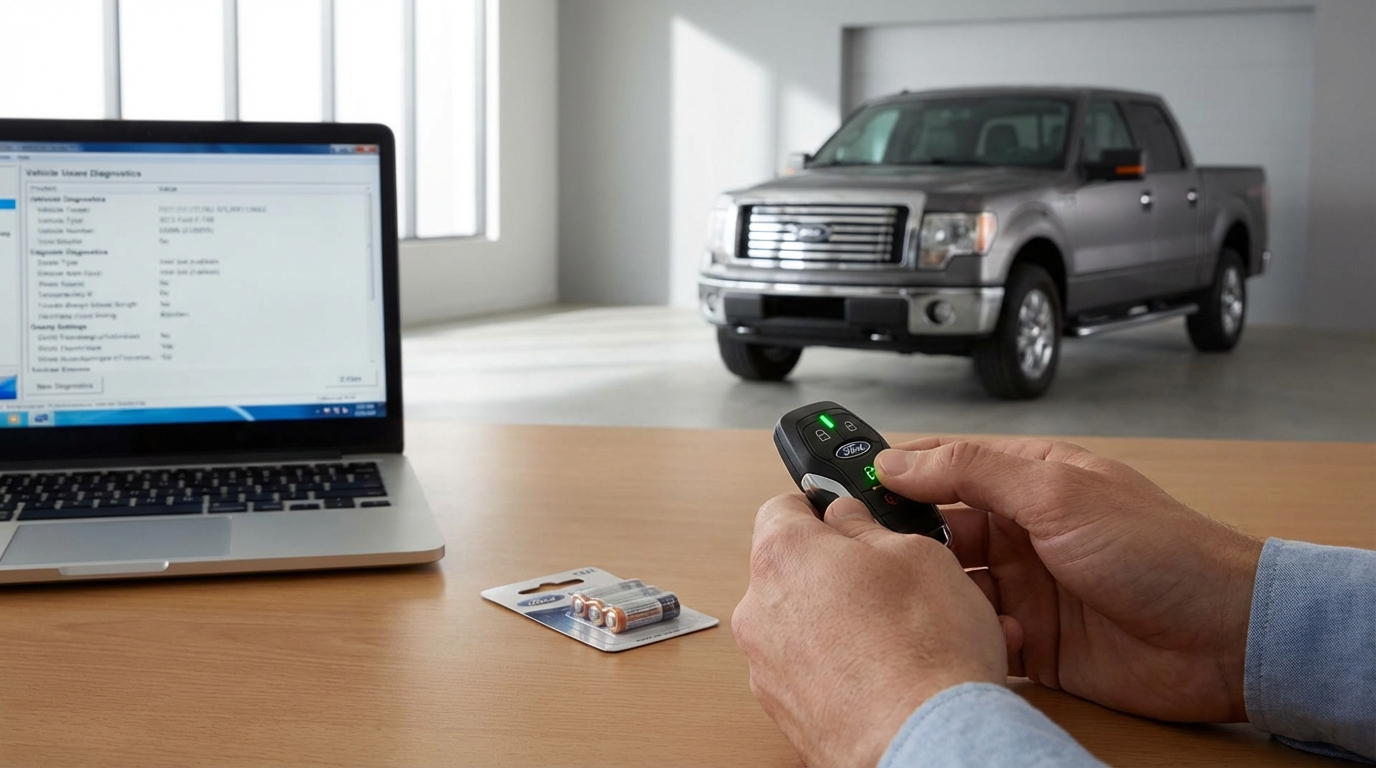
- Replace the Key Fob Battery: A weak CR2032 battery might unlock doors but fail to send the strong signal needed for ignition.
- Door Ajar Sensors: If your truck thinks a door is open (even if its closed), it won't start. WD-40 is your friend here.
The Hood Pin Switch: The Usual Suspect
If you are driving a 2012 F-150, 9 times out of 10, your remote start isn't working because of the hood pin switch. Seriously, don't overthink it, check this first.
Here is the deal. Ford designed the truck with a safety feature that prevents the engine from remote starting if the hood is open. They do this so you don't accidentally start the engine while your mechanic has his hands inside the fan belt. It’s a good safety feature, but on the 2012 models, the bracket holding this switch is kinda flimsy.
Open your hood and look along the drivers side fender wall, about halfway up. You will see a little rubber plunger sticking up. That is the switch. When the hood closes, it pushes that rubber plunger down, completing the circuit and telling the computer "Okay, hood is closed, safe to start."
How to Fix It
Over time, the metal bracket holding that switch gets bent downward just from the force of the hood closing on it over and over. If it bends down even a few millimeters, the hood won't push the button down far enough.
The Test: Press the button down with your thumb and have a friend try the remote start. If the truck fires up while you are holding the button, you found your problem.
The Fix: You can just grab the metal bracket and physically pull it upwards to bend it back into place. It doesn't take much force. Just bend it up a little bit so the hood makes better contact. If the switch itself is broken (the rubber is torn or the plastic is cracked), you can buy a replacement part fairly cheap online. According to most auto parts sites, the part number is usually something like BL3Z-19G366-A.
The "Check Engine" Light Rule
This catches a lot of people off guard. If your truck has a Check Engine Light (CEL) on, the remote start system is designed to fail.
Think about it like this. The computer knows something is wrong with the engine. It doesn't know if its a minor issue (like a loose gas cap) or a major issue (like an overheating cylinder). Because the computer can't tell the difference, it plays it safe. It doesn't want to start the engine and let it run for 10 or 15 minutes without a driver sitting there watching the gauges.
If you see that little orange engine icon on your dash, you need to read the codes. You can go to almost any auto parts store and they will plug a scanner in for free. Once you fix the issue and clear the code, your remote start should start working again immediately. If you just clear the code without fixing the problem, the remote start might work once or twice, but as soon as the code comes back, the system shuts down again.
Your Settings Might Have Reset
Electronics can be weird. If you recently changed your main truck battery, or if the battery died because you left the headlights on, your truck's computer (the Body Control Module) might have reset to factory defaults. Sometimes, the default setting for Remote Start is "OFF".
You can fix this right from the driver's seat. You don't need a mechanic.
- Put your key in the ignition and turn it to the "On" position (don't start the engine).
- Look at the little productivity screen in the center of your gauge cluster.
- Use the arrow buttons on the steering wheel.
- Go to Settings > Vehicle > Remote Start > System.
- Make sure "Enable" is checked.
While you are in there, check the "Duration" setting too. You can set it to run for 5, 10, or 15 minutes. If it's set to "Off" or "0", that explains why nothing happens when you press the button.
The Key Fob Battery
I know, I know. You're thinking, "But my key fob still unlocks the doors, so the battery must be fine."
Not necessarily. Unlocking the doors requires a quick, weak burst of energy. Remote starting the truck requires you to press the button twice or hold it, which demands a stronger, sustained signal. A battery that is on its last legs might have enough juice to pop the lock, but not enough to send the complex start sequence.
The battery is usually a CR2032. They cost a few bucks. Crack open the fob with a small flathead screwdriver or a coin and swap it out. Even if this isn't the problem, its good preventative maintenance. There is nothing worse than being stranded in a parking lot because your fob died completely.
Door Ajar Switches (The WD-40 Fix)
Ford F-150s from this era (2009-2014) are notorious for having sticky door latch sensors. If the truck thinks a door is open, it wont remote start. Again, this is a safety thing. The truck assumes if a door is open, someone might be getting in or out, so it prevents the engine from firing.
The Symptoms:
Does your dome light stay on after you close the doors? Does the "Door Ajar" warning pop up on your dash even when everything is slammed shut? If yes, this is your problem.
The sensor is built into the latch mechanism inside the door. Over time, the factory grease gets hard and sticky, and the little sensor gets stuck in the "open" position.
The Fix:
You usually don't need to replace the latch. Grab a can of WD-40 or a silicone lubricant. Open the door and spray the lubricant generously right into the latch mechanism (the claw part that grabs the striker on the door frame). Open and close the door about 10 or 15 times pretty hard. This usually works the fresh lube into the sensor and frees it up.
Understanding the "Honks"
The truck actually tries to talk to you when the remote start fails. If you listen closely, the horn will give you a code.
- One Honk: This usually means the remote start attempt was aborted because of a safety issue. This points to the Hood Pin Switch, the Brake Pedal Switch being stuck, or a Check Engine Light.
- Two Honks: This often means the system received the signal but a door is open, or the key is already in the ignition.
- No Honk / No Flashing Lights: This usually means the truck didn't hear you at all. This points to a bad key fob battery or a broken antenna.
If you are getting the "One Honk" of death, I would bet money on the hood switch we talked about earlier.
Valet Mode and MyKey
Does your family share the truck? If you have a teenager driver, you might have set up a "MyKey." MyKey is a Ford feature that lets you limit the top speed and radio volume for specific keys.
Depending on how it was programmed, a MyKey can sometimes disable remote start. Try using the "Admin" key (usually the spare key you keep in a drawer) and see if the remote start works with that one. If it works with one key but not the other, you have a programming issue, not a mechanical one. You will need to go into the settings menu with the Admin key and clear the MyKey settings to fix it.
Also, check for "Valet Mode." This is less common on the factory systems and more common on aftermarket alarms like Viper or Compustar, but some dealer-installed Ford systems have it too. Valet mode disables the remote start so a parking attendant doesn't accidentally start your car in a garage. Usually, you toggle this by pressing a specific combination of buttons on the remote. Check your manual if you have an aftermarket led blinking on your dash.
The "BMS" (Battery Management System)
Starting in 2011 and 2012, Ford got really high-tech with how they manage the battery charging. There is a sensor on the negative battery cable that monitors how much juice is going in and out.
If the Battery Management System (BMS) detects that your truck's battery charge is getting low, it will start shutting down "non-essential" features to save power to ensure the truck can still start manually. Remote Start is considered non-essential.
If you only drive short distances, your battery might never get fully charged. Try putting the truck on a trickle charger overnight. If the remote start works the next morning, your battery is getting weak, or your alternator isn't keeping up. The BMS is smart, but sometimes its annoying.
Factory vs. Dealer Installed
We need to make a distinction here. Did your 2012 F150 come with remote start from the factory (built into the key head), or is it a separate little fob hanging on your keyring?
Factory (Key Head): The antenna for this is usually located in the TPMS (Tire Pressure Monitoring System) module or near the glove box. If your tire pressure light is blinking and your remote start is dead, the module might be bad.
Dealer Installed (Separate Fob): These often have a separate little antenna box glued behind the rearview mirror or tucked under the dash. Sometimes that little wire gets unplugged if you had your windshield replaced or dashboard work done. Trace the wire from the antenna to make sure it's plugged in securely.
The Last Resort: Resetting the BCM
If you have checked the hood switch, the battery, the doors, and the settings, and it still wont work, try a hard reset. This is the "turn it off and on again" solution for cars.
- Pop the hood.
- Disconnect the Negative (Black) battery terminal.
- Leave it disconnected for about 15 to 20 minutes. Go grab a coffee.
- Reconnect the battery.
This forces the Body Control Module (BCM) and the Powertrain Control Module (PCM) to reboot. It clears out temporary glitches in the software. Note that you might lose your radio presets and your clock time, but it often brings the remote start back to life.
When to Call the Pros
If you have tried all of the above and get nothing, you might have a bad module or a wiring fault. The 2012 F-150s are getting older now, and wires can corrode, especially if you live in the rust belt.
Before you go to the dealer (who will charge you $150 just to look at it), find a local shop that specializes in car audio and alarms. Those guys troubleshoot remote starters all day long and usually charge way less than the dealership.
Frequently Asked Questions
Q: Can I just unplug the hood switch to bypass it?
A: No, usually not. On the 2012 F150, the system is "Normally Open." This means the circuit needs to be completed (closed) for the truck to know the hood is shut. If you just unplug it, the circuit stays open, and the truck thinks the hood is open forever. You can, however, use a paperclip or a jumper wire to connect the two pins in the plug to trick the truck into thinking the hood is closed for testing purposes.
Q: Why does my truck start, run for 5 seconds, and then turn off?
A: This is almost always a "Tachometer Signal" issue or a dirty throttle body causing low idle. The remote start system monitors the RPMs to ensure the engine is running. If the idle is too low or rough, the system thinks the start failed and cuts the power. Try cleaning your throttle body.
Q: Does the Check Engine Light always disable remote start?
A: Yes. On factory Ford systems, any active powertrain code disables the feature. It is a liability safeguard.
Q: My remote start works, but the climate control doesn't turn on the heat/AC. Why?
A: Check your menu settings again. Under "Remote Start," there is usually an option for "Climate Control." You can set it to "Auto" or "Last Settings." If it's on "Auto," the truck decides what to do based on the outside temperature. If the temperature sensor is bad, it might not turn on the heat when its cold.
Q: How far away should the remote work?
A: The standard factory start on a 2012 F150 has pretty poor range, honestly. Maybe 300 feet if you are lucky and have a clear line of sight. If you hold the remote under your chin (using your skull as an antenna-sounds crazy, but it works), you might get another 50 feet out of it.