
Key Takeaways
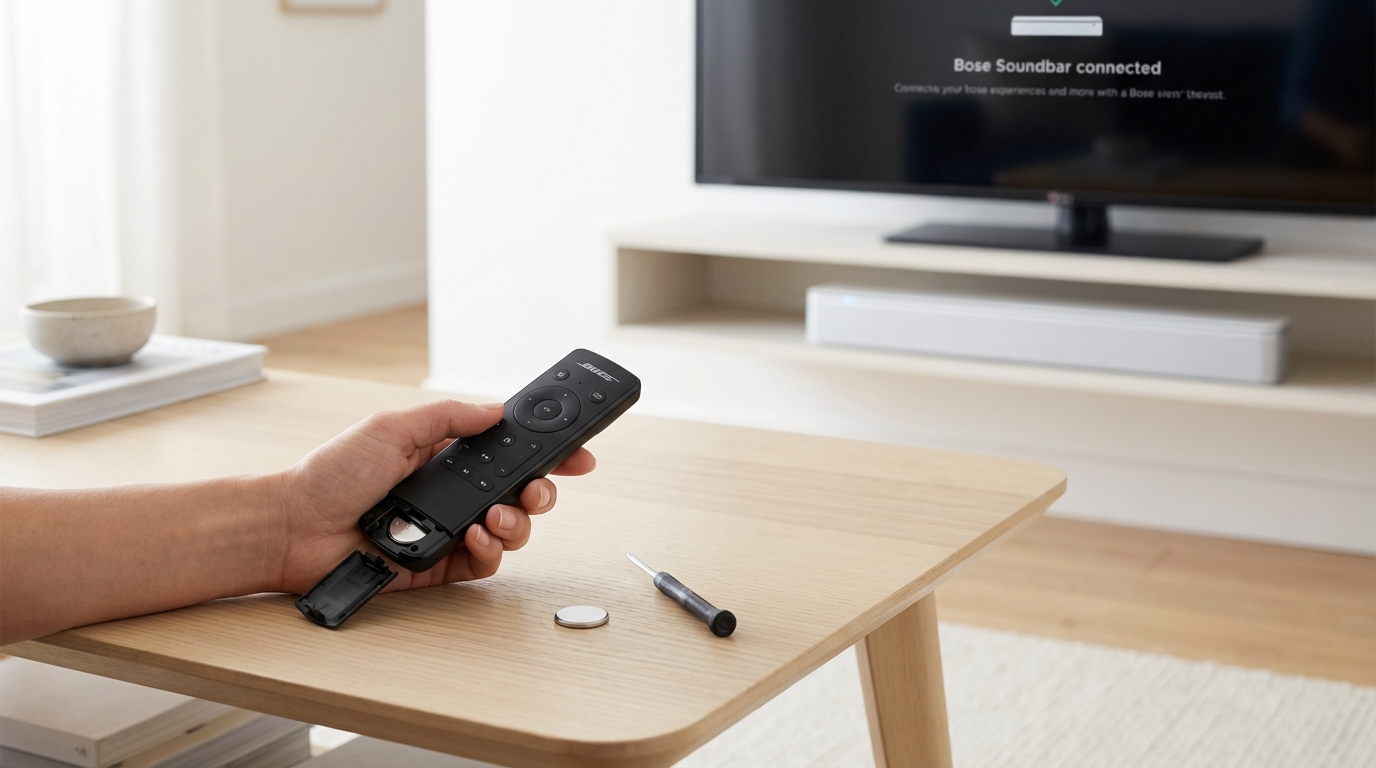
- Replace batteries immediately: Don't just rotate them. Put in fresh, brand-new alkaline batteries.
- The "60-Second" Rule: Unplug your Bose unit (soundbar or console) from the wall for a full minute to force a reset.
- Check the IR signal: Use your smartphone camera to see if the remote is actually sending a signal.
- Re-pair the remote: Newer Bose remotes (Soundbar 500, 700, 900) use Bluetooth and may need to be unpaired and paired again.
- Clear obstructions: Ensure nothing is blocking the "puck" or the front of the soundbar.
- Use the App: If all else fails, the Bose Music app is your temporary backup.
The Quickest Fixes First
If you are standing there clicking buttons and nothing is happening, let's just get straight to the point. Most of the time, the issue isn't that the remote is broken, its that the connection is confused. Before you go buy a new one, try these steps in this exact order.
I have messed around with dozens of these systems, and 90% of the time, one of the first three things on this list fixes it.
1. The Battery Swap (Do it properly)
I know, I know. You probably already checked the batteries. But hear me out. Remote controls, especially the ones with displays or backlights (like the Soundbar 700 universal remote), eat power faster than you think. Even if the batteries "look" good or work in your TV remote, they might not have enough juice for the Bose.
Do this: Take out the old batteries. Check the metal springs inside the compartment. Is there any white powder or corrosion? If yes, clean it with a cotton swab and a little vinegar. Then, put in brand new alkaline batteries. Don't use rechargeable ones if you can avoid it, they run at a slightly lower voltage (1.2V) compared to standard alkalines (1.5V), which can make Bose remotes act weird.
2. The Hard Reset (Power Cycle)
This is the classic "have you tried turning it off and on again," but for audio gear, you have to do it a specific way. Electronics like soundbars have capacitors inside that hold an electrical charge even after you turn them off. If the system is frozen, simply hitting the power button won't fix it.
The Fix:
- Unplug the power cord from the electrical outlet. Don't just turn it off at the remote.
- Wait at least 60 seconds. Seriously, count it out or look at your watch. You need the power to drain completely.
- While it is unplugged, hold down the power button on the soundbar (if it has one) for 10 seconds to drain residual power.
- Plug it back in and wait for the lights to stabilize.
- Try the remote again.
3. The "Camera Trick" to Test the Signal
This is my favorite troubleshooting trick. Most Bose remotes (except the strictly Bluetooth ones) send an Infrared (IR) signal. Your eyes can't see this light, but your smartphone camera can. According to how digital sensors work, they pick up IR light and display it as a purple or white flash.
How to test it:
- Open the camera app on your phone.
- Point the remote control directly at the camera lens.
- Press any button on the remote repeatedly.
- Look at your phone screen. Do you see a flashing light coming from the tip of the remote?
If you see a light, your remote is working fine physically, and the problem is with the Soundbar or the receiver. If you don't see a light (and you already changed batteries), the remote itself is dead and needs replacing.
Deep Dive: Fixing Specific Bose Remote Types
Not all Bose remotes are the same. A remote for a Bose Solo 5 works differently than the big fancy one for the Soundbar 700. Here is how to handle the specific pairing issues based on what you own.
Fixing Bluetooth Remotes (Soundbar 500, 700, 900)
The newer, nicer remotes use Bluetooth Low Energy to talk to the soundbar. This is great because you don't have to point it directly at the TV, but it also means the "pairing" can break. It's like when your phone refuses to connect to your car.
If your remote has a flashing amber light or just isn't responding, you need to clear the pairing list.
How to re-pair the remote:
- On the remote, press and hold the Volume Down button and the Left Navigation (the arrow pointing left) button at the same time.
- Hold them for about five seconds.
- The light on the top of the remote should clear or flash to confirm the list is wiped.
- Now, open the Bose Music App on your phone.
- Go to your Soundbar settings.
- Look for "Remote" or "Accessory" setup.
- Follow the prompts to add the remote again.
Sometimes, simply taking the batteries out of the remote, unplugging the soundbar, and starting fresh brings the Bluetooth connection back. It's annoying, but technology is finicky.
Fixing IR Remotes (Cinemate, Solo 5, SoundTouch)
Older systems rely entirely on line-of-sight. If you have done the "Camera Trick" and the remote is sending a signal, but the speaker ignores it, checking the environment is your next step.
Check the "Puck": Some older Bose systems (like the Cinemate series) have a little interface module-a small circular or square pod attached by a cable. That is the "eye" of the system. If that pod fell behind the TV cabinet or is covered by a DVD case, the remote can't talk to the system.
Interference from TV Light: This sounds weird, but certain newer TVs have sensors that adjust brightness automatically (Eco sensors). These can blast out infrared noise that confuses the Bose sensor. Try turning off your TV's "Auto Brightness" or "Eco Mode" and see if the remote starts working.
Advanced Troubleshooting: When the Basics Fail
So you swapped the batteries, reset the power, and the camera shows a light, but it still won't work? Now we have to look at weird conflicts.
HDMI-CEC Conflicts
Modern entertainment systems use something called HDMI-CEC (Consumer Electronics Control). This is the tech that lets your TV remote control your Bose volume. Sometimes, the TV sends a "stop" command or blocks the Bose remote signals because it thinks it should be in charge.
To test if this is the problem, unplug the HDMI cable connecting the Bose to the TV. Try using the Bose remote to just turn the speaker on and off. If it works perfectly when the HDMI is unplugged, your TV is the problem. You might need to go into your TV settings and toggle CEC (sometimes called Anynet+, Bravia Sync, or SimpLink) off and on again to reset the handshake.
Dirty Buttons
If only some buttons work (like Volume Up works, but Power doesn't), the problem is usually gunk. Over time, oils from our hands seep into the rubber membrane under the buttons. Or maybe someone spilled a drop of soda on it three years ago and it's finally gotten sticky.
You can try to clean it without taking it apart. Get a q-tip and some high-percentage Isopropyl Alcohol (rubbing alcohol). Rub it around the edges of the stuck button while pressing the button up and down rapidly. The alcohol can seep in, break up the gunk, and then evaporate quickly without damaging the electronics.
Using the App as a Backup
If you have a Wi-Fi enabled speaker (SoundTouch or the Smart Soundbar family), you aren't totally out of luck while you figure this out. The Bose Music App (for new stuff) or the SoundTouch App (for older stuff) can control almost everything.
It is not as convenient as a physical remote, obviously. Unlocking your phone just to mute a commercial is a pain. But it verifies if the speaker is working. If the app controls the volume fine, you know your speaker is healthy and the problem is definitely isolated to the handheld remote.
When to Buy a Replacement
Sometimes, things just die. Circuit boards crack, chips fail, or the dog chewed it a little too hard. If you have done the camera test and see no light with fresh batteries, it's over.
You have two choices:
- Official Replacement: You can buy these directly from Bose. They are guaranteed to work but usually cost between $30 and $50 depending on the model.
- Universal/Clone Remotes: If you look on Amazon, you'll see "Replacement for Bose" remotes for like $12. To be honest, these usually work fine for basic functions like volume and power. However, they often feel cheap and plastic-y compared to the nice rubberized feel of the real thing. If you just have an old Solo 5, a cheap clone is probably fine. If you have a Soundbar 700 with the light-up display, get the real replacement.
Also, don't forget you can often program your cable box remote or TV remote to control the Bose volume. Check your TV manual for "Universal Remote Setup." It might save you from buying a new clicker entirely.
A Note on "Unlinking" for the Soundbar 700/500
I want to double back to this because it catches so many people out. The premium Bose remotes are smart. Too smart, sometimes. If you changed your Wi-Fi router recently, or if you moved the soundbar to a new room, the remote might have lost its "binding" to the console.
If the remote blinks amber when you press a button, it means it is trying to talk to the soundbar but can't find it. This is a pairing issue, not a broken remote. Do not throw it away! Go back to the steps above about holding Volume Down + Left Navigation. That clears the brain of the remote so it can learn again.
Summary of Steps (The Checklist)
Before we hit the FAQ, here is your cheat sheet. Run through this list one last time:
- [ ] Replaced batteries with brand new alkalines (not rechargeable).
- [ ] Cleaned battery contacts with vinegar/alcohol if they looked dirty.
- [ ] Unplugged the Bose unit from the wall for 60 seconds.
- [ ] Performed the "Camera Test" to check for IR signal.
- [ ] Checked that the IR receiver on the speaker isn't blocked by clutter.
- [ ] (For Smart Soundbars) Unpaired and re-paired via the button combo.
- [ ] Tested using the App to ensure the speaker itself works.
If you have done all that and it's still dead, it's time to head to eBay or the Bose store for a new one. It happens to the best of us.
Frequently Asked Questions
Why is my Bose remote blinking yellow?
On the advanced remotes (like for the Soundbar 700), a blinking yellow or amber light usually means the remote has lost its pairing connection to the soundbar. It's broadcasting, but nobody is listening. You need to use the Bose Music app to re-pair it, or use the button combination (Vol Down + Left Nav) to clear the memory.
Can I use a universal remote with my Bose soundbar?
Yes, absolutely. Most major universal remotes (like the Logitech Harmony, though they are discontinued, or the SofaBaton) support Bose IR codes. Even your standard cable box remote (Xfinity, DirectTV) usually has a code for Bose audio. You might lose some specific functions like "Dialogue Mode" or bass adjustments, but volume and power will work.
How do I open the battery compartment on the tiny Bose remotes?
The small remotes for the CineMate or Solo systems can be tricky. Usually, there is a small tab on the bottom edge that you have to slide sideways while pulling the battery tray out. It requires a bit of fingernail work. If it's stuck, it might be because the battery inside leaked and glued it shut. Be gentle, but firm.
Does the Bose remote need Wi-Fi?
The remote itself doesn't connect to your Wi-Fi router. However, the "Smart" remotes communicate via Bluetooth to the Soundbar, which is on Wi-Fi. If your Soundbar drops off the Wi-Fi or is updating its firmware, the remote might temporarily stop responding until the Soundbar comes back online.
Why does my remote work only when I am really close?
This is the classic sign of dying batteries. Even if you changed them recently, try another fresh set. If that doesn't fix it, the IR sensor on your Soundbar might be dusty or partially obscured. Wipe the front of the soundbar with a microfiber cloth.
What is the warranty on a Bose remote?
Generally, Bose accessories are covered under the standard one-year warranty that comes with the system. If you bought your system six months ago and the remote died, contact Bose support immediately. They are usually pretty good about mailing out a replacement if you have your serial number handy.