
Key Takeaways
- Standard Remotes Don't Mix: A regular, older Genie remote generally will not work with a LiftMaster garage door opener. They use different languages (Intellicode vs. Security+).
- The Universal Solution: A Genie Universal Remote works perfectly with almost all LiftMaster openers. If the package says "Universal," you are good to go.
- Check the Learn Button: To make them talk to each other, you need to know the color of the "Learn" button on your LiftMaster unit (Yellow, Purple, Red/Orange, or Green).
- External Receivers: If you absolutely must use an old Genie remote, you can wire a Genie receiver into the LiftMaster unit, but it's a bit of a project.
The Short Answer
If you pick up a standard, old-school Genie remote that came with a Genie opener and try to program it to your LiftMaster garage door, it is not going to work.
Think of it like trying to use a TV remote to change the volume on your microwave. Even though they both send signals, they are speaking completely different languages. Genie uses a technology called "Intellicode," and LiftMaster uses something called "Security+." They just don't understand each other.
However, there is a big exception.
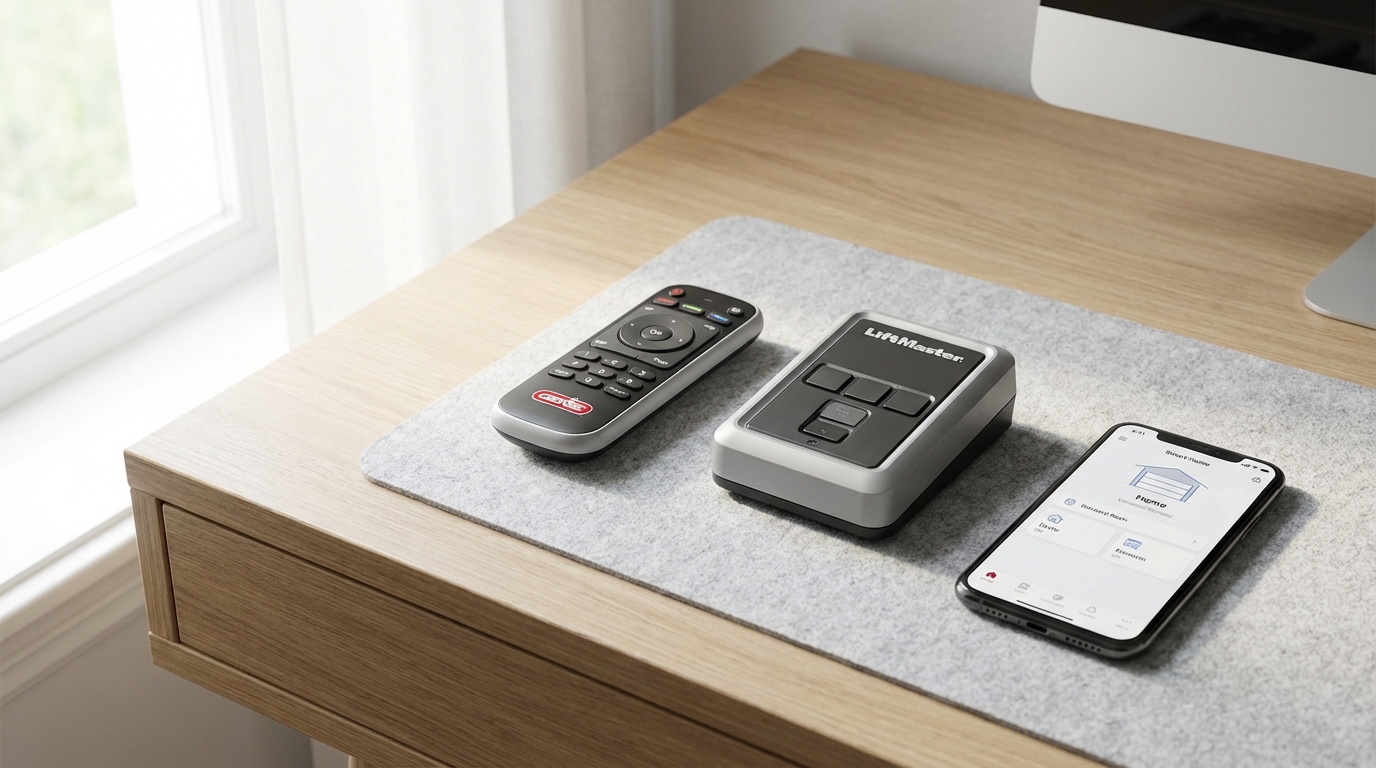
If you go to the store and buy a Genie Universal Remote (like the Genie Master Remote or the 4-Button Universal), then yes, it will absolutely work with your LiftMaster. These specific remotes are designed to be "bilingual" and can talk to almost any major brand.
So, before you spend hours standing on a ladder pressing buttons in frustration check exactly which remote model you have. If it's a standard replacement part for a Genie opener, it wont work. If it's a Universal model, you're in business.
Why Can't They Just Get Along?
You might be wondering why this is so complicated. It's just a radio signal, right? Well, sort of.
Back in the day, garage door openers were pretty simple. They just listened for a specific radio frequency. If they heard it, the door opened. But this caused problems because a neighbor's remote could accidentally open your door if you guys had the same dip switch settings.
To fix this manufacturers started using "Rolling Code" technology. This means every time you press the button, the remote and the opener agree on a new, secret code for next time. It makes your home way safer.
The problem for you right now is that Genie and LiftMaster developed their own versions of this:
- Genie uses Intellicode.
- LiftMaster (which is the same company as Chamberlain and Craftsman) uses Security+.
Because these two companies are the biggest rivals in the garage door world (like Ford vs. Chevy or Coke vs. Pepsi), they didn't exactly design their standard equipment to play nice with the competition.
How to Make It Work: The Genie Universal Remote
Okay, let's assume you have purchased a Genie Universal Remote. This is a great move because the Genie Universals are usually cheaper than the official LiftMaster replacements and they're really durable.
To get this working, you have to do a little detective work on your garage door opener motor. You need to find out what "frequency" or "version" of LiftMaster you have. The easiest way to do this is by looking at the Learn Button.
Finding the Learn Button
Grab a stepladder and climb up to the main motor unit hanging from your garage ceiling. You'll probably need to pop off the light cover or look on the back panel where all the wires are connected.
You are looking for a small button, usually near a little LED light and some antenna wires. The color of this button tells you everything you need to know.
- Yellow Button: This is the newest tech (Security+ 2.0). If your opener was made after 2011, it likely has this.
- Purple Button: This is from the mid-2000s (Security+ 315 MHz).
- Red or Orange Button: This is from the late 90s to early 2000s (Security+ 390 MHz).
- Green Button: This is older "Billion Code" tech from the mid-90s.
Once you know the color, you can program the Genie Universal remote to match it.
Step-by-Step: Programming a Genie Universal Remote to LiftMaster
Since I don't know exactly which Universal remote you have, I'll give you the general process for the most common one, the Genie 4-Button Universal Series. Its actually pretty simple once you get the hang of it.
Note: Read the instructions that came with your specific remote, as the button presses might vary slightly.
Step 1: Activate Programming Mode on the Remote
Usually, you have to hold down a specific button combination on the remote to wake it up and tell it "Hey, I'm about to teach you a new trick."
On many Genie Universals, you hold down button #1 and button #2 at the same time until the little light on the remote turns solid. Then let go.
Step 2: Select the LiftMaster Brand
Now you have to tell the remote it's talking to a LiftMaster. You usually do this by pressing the button you want to use (let's say the big top button) a specific number of times.
According to most Genie manuals:
- Yellow Button Opener: Press the remote button 8 times.
- Purple Button Opener: Press the remote button 2 times.
- Red/Orange Button Opener: Press the remote button 3 times.
- Green Button Opener: Press the remote button 4 times.
After you press it the right number of times, wait for the remote light to flash or change color to confirm it accepted the code.
Step 3: The "Handshake"
Now, climb up your ladder.
1. Press and release the colored Learn Button on the LiftMaster opener. The light next to it will glow steady for about 30 seconds. Don't hold it down! Just a quick press like a doorbell.
2. Quickly get back down or grab your remote.
3. Press and release the button on the Genie remote that you just prepped in Step 2. You might have to press and release it multiple times (slowly and steadily) until the garage door opener clicks or the lights on the opener flash.
4. Once the opener lights flash or you hear that click, stop pressing. Press the programming button on the remote one last time to "lock in" the code.
Test it out. Your LiftMaster door should now be moving with a Genie remote. Pretty cool, right?
What If I Have a Really Old Genie Remote?
Let's say you have an old Genie Intellicode remote from 1998 that you just love. Maybe it's clipped to your visor and you refuse to part with it, but you just moved into a house with a LiftMaster opener.
The direct signal won't work. But, you can force it to work by installing an External Receiver.
A Genie External Receiver (like the GIRUD-1T) is a little box that you wire into the back of your LiftMaster motor. Basically, the LiftMaster motor has two screw terminals on the back meant for a wall button. When those two screws touch (or get a signal), the door opens.
The Genie receiver wires into those screws. It listens for your old Genie remote signal, and when it hears it, it tells the LiftMaster "Open the door!" It acts as a translator in the middle.
Is it worth it? Probably not for most people. It's easier to just buy a $15 universal remote. But if you have a gate system or a specific setup where you need one remote to control three different brands of doors, the external receiver is a lifesaver.
Troubleshooting: Why Isn't It Working?
So you bought the Universal remote, you followed the steps, and... nothing. The door just sits there mocking you. Here are the most common reasons why this happens.
1. LED Light Interference
This is a huge issue lately. If you put standard LED light bulbs inside your garage door opener unit, they can block the radio signal. The electronics in cheap LED bulbs emit a frequency that creates "noise" and drowns out the remote control signal.
The Fix: Unscrew the light bulbs in the opener and try programming it again. If it works, you need to buy "Garage Door Compatible" LED bulbs that are shielded.
2. You Cleared the Memory
Remember when I said don't hold the Learn button down? If you hold that colored button on the LiftMaster for more than 6-10 seconds, you wipe out the memory. This means none of your remotes will work, not even the old ones.
The Fix: You have to reprogram every single remote, keypad, and car Homelink system from scratch.
3. Maxed Out Memory
Garage door openers can only remember a certain number of remotes (usually about 5 to 10). If you have a bunch of old remotes programmed that you lost years ago the memory might be full.
The Fix: You actually do need to clear the memory (hold the learn button until the light goes out) and then start fresh adding your current remotes back in.
4. The Lock Button
Check your wall console (the button on the wall inside the garage). Some LiftMaster wall consoles have a "Lock" switch or button. If this is turned on, the opener ignores all radio signals for security (like if you go on vacation).
The Fix: Check the wall button and make sure the green LED isn't flashing rapidly. If it is, press the Lock button to turn it off.
LiftMaster, Chamberlain, Craftsman: Are They the Same?
I mentioned this earlier but it's worth repeating because it confuses everyone. LiftMaster is the professional line. Chamberlain is the DIY line you buy at Home Depot. Craftsman (the older Sears stuff) is usually made by Chamberlain.
If you have a Chamberlain or a Craftsman opener, everything I wrote in this article still applies. They use the same "Security+" technology and the same colored learn buttons. So if your Genie remote works with LiftMaster, it will work with Chamberlain and Craftsman too.
On the flip side, Genie and "Overhead Door" (the brand) are usually cousins. An Overhead Door remote will often work on a Genie, but not on a LiftMaster.
Is It Safe to Mix Brands?
Totally. There is zero safety risk in using a Genie Universal remote on a LiftMaster opener. The safety features of your garage door-like the sensors at the bottom that stop the door from crushing a bike (or a pet)-are controlled by the motor unit itself, not the remote.
The remote is just a trigger. It's literally just a fancy way of ringing a doorbell. Changing the brand of the button doesn't change how the door operates safely.
However, I always recommend sticking to major brands. There are a lot of cheap, no-name "universal" remotes on Amazon for $8. While they might work, they sometimes have weaker range or battery life issues. Genie is a solid, reputable brand, so using their Universal remote is a safe bet.
Summary
To wrap this up and get you back to your day:
Don't try to force your old standard Genie remote to talk to your LiftMaster. It's a waste of time. They just aren't compatible.
Go pick up a Genie Universal Remote. They are affordable, easy to find at any hardware store, and they work like a charm with LiftMaster's rolling code technology. Just make sure you spot that colored Learn button on your opener before you start the programming process.
Good luck getting that door moving!
Frequently Asked Questions
Can I use a Genie Intellicode remote with a LiftMaster opener?
No, a standard Genie Intellicode remote will not work directly with a LiftMaster opener. They use different frequencies and encryption protocols. You would need a Genie Universal remote to make it work.
Where is the Learn button on my LiftMaster opener?
It is located on the motor unit attached to the ceiling. You usually have to remove the light lens cover or look at the back panel where the antenna wire hangs down. It will be a small square or round button colored Yellow, Purple, Red/Orange, or Green.
Do universal remotes work on all garage door openers?
Most of them, yes. A high-quality universal remote (like the ones from Genie or Chamberlain) covers about 90% to 95% of openers made after 1993. This includes LiftMaster, Chamberlain, Craftsman, Genie, Linear, and Wayne Dalton.
My Genie Universal remote won't program to my LiftMaster. What do I do?
First, check that you aren't using LED bulbs in the opener, as they cause interference. Second, make sure you are pressing the remote button the correct number of times for your specific Learn Button color during the setup phase. Finally, try clearing the opener's memory and starting fresh.
Is LiftMaster better than Genie?
It's a matter of preference, like Ford vs. Chevy. LiftMaster is generally considered the "gold standard" for professional installers because of their solid rail systems and accessories. Genie is famous for their screw-drive motors and being very DIY-friendly. Both are excellent brands.