
Key Takeaways: The Quick Fix
If you just swapped your battery and the Compustar remote is dead, try these in order:
- Check Valet Mode: If the parking lights flash 3 times but the car doesn't start, you are likely in Valet Mode. Turn the ignition On/Off 5 times rapidly, then tap the brake.
- Resync the Remote: Your remote might have forgotten the car. Cycle the ignition 5 times until the lights flash, then tap the Lock button on your remote.
- Battery Orientation: Double-check you didn't put the coin battery in upside down. The text usually faces up.
- Hood Pin: Ensure your hood is closed tight; the safety switch will block remote starting if it's loose.
It’s Probably Valet Mode (Or a simple Resync)
So, you replaced the battery in your Compustar fob and now the remote start won't work. It is frustrating, right? You did the responsible thing by getting a fresh battery, and the car rewards you with silence. Usually, when this happens, it is not because the remote is broken. It's almost always because the system went into "sleep" mode or just needs a quick handshake to remember who the boss is.
The most direct answer is usually Valet Mode. When you mess with the power or sometimes just by pressing a weird combo of buttons while prying the case open, the system thinks you dropped the car off at a valet and disables the remote start features for safety. Here is exactly how to fix it and a few other things to try if that doesn't work.
Solution 1: Getting Out of Valet Mode
According to the Compustar user manuals, Valet Mode is a safety feature designed to stop the car from remote starting while a mechanic is working on it or a valet is parking it. If you trigger the remote start and the parking lights flash three times but the engine doesn't crank, you are definitely in this mode.
It's super common to accidentally hit the buttons that trigger this when you are wrestling the plastic case open to change the battery.
How to turn off Valet Mode:
There are a couple of ways to do this depending on which specific Compustar antenna and remote you have, but the universal method usually works best.
- Get in the driver's seat and shut the door.
- Put your key in the ignition.
- Turn the key from the OFF position to the ON position (don't crank the engine, just turn on the dash lights) and back to OFF.
- Do this 5 times within 7 to 10 seconds. It feels a bit frantic, but you gotta be quick.
- On the 5th time, leave the key in the ON position.
- Wait a second. You should hear a click from the relay or see the parking lights flash.
- Tap the foot brake once or press the remote start button (usually the Key icon) for a half-second.
If you have a 2-way LCD remote (the fancy one with the screen), look at the top of the little screen. If you see "ZZZ" icons, that means Valet Mode is on. Using the steps above should make the ZZZs disappear.
Solution 2: Reprogramming (Resyncing) the Remote
Sometimes when the battery dies completely or is out of the remote for too long, the remote loses its "pairing" with the brain inside the car. It’s like when your Bluetooth headphones forget your phone. You just need to re-introduce them.
This sounds technical, but it is actually really easy. You don't need a computer or tools.
The Ignition Method:
This works for most standard key-ignition cars.
- Insert your key into the ignition.
- Cycle the key from OFF to ON five times. (Just like the Valet mode step).
- On the 5th cycle, you will see the parking lights flash once. This is the car saying, "Okay, I'm listening for a new remote."
- Immediately tap the LOCK button on your remote.
- The parking lights should flash again to confirm it heard the remote.
- If you have a backup remote, press the LOCK button on that one too right after.
- Turn the key off and try to start the car.
For Push-to-Start Vehicles:
If you have a newer car with a push button, the timing is a little trickier because the car's electronics lag a bit.
- Make sure your foot is OFF the brake.
- Press the "Start" button so the ignition turns on (dash lights up), then press it again to turn it off.
- Repeat this until the parking lights flash (usually takes about 5 cycles).
- Tap the Lock button on your Compustar remote.
I’ve seen people give up here because they were pressing the button too slow. You have to find a rhythm. Not too fast that the car ignores it, but not slow enough that it times out.
Solution 3: The "Oops" Battery Check
Look, I've done this. Mechanics have done this. We've all done this. Are you 100% sure the battery is facing the right way?
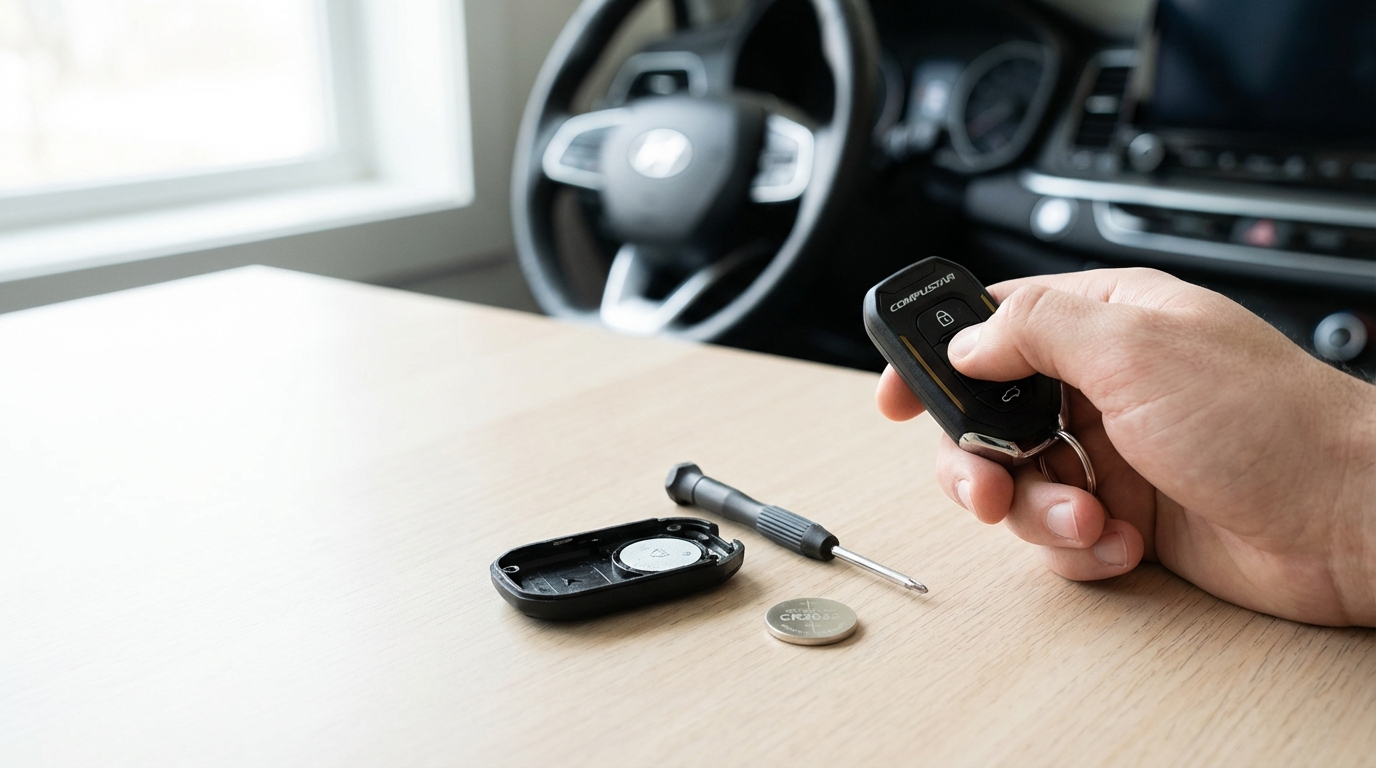
Most Compustar remotes use CR2016 or CR2025/CR2032 coin batteries. The confusing part is that inside the remote, the metal contacts can look deceptive.
The Rule of Thumb: In 99% of remotes, the flat side with the writing (like "+ CR2032") should be facing UP away from the circuit board. However, checking the plastic casing is smart; usually, there is a tiny engraved "+" or "-" sign showing you which way it goes.
Also, did you remove the sticker? Some brand new batteries come with a safety sticker on the back to prevent discharging. If you left that on, no power is getting through. It happens more often than you'd think.
Check the Contacts
While you have the remote open again, look at the little metal prongs that touch the battery. Sometimes, when you pry the old battery out, you accidentally bend these prongs flat. If they are too flat, they won't touch the new battery.
Use a small flathead screwdriver or even a fingernail to gently bend them upward just a tiny bit. This ensures a solid connection.
Solution 4: The Hood Pin Switch
This is one of those things that has nothing to do with your remote battery, but the timing is just a coincidence.
Your remote starter has a "Kill Switch" located under the hood. It’s usually a little plunger switch or a tilt sensor. Its job is to make sure the engine doesn't start while someone has their hands on the engine belt. If this pin is bent, broken, or corroded, the system thinks the hood is open.
The Symptoms:
- You press remote start.
- The car beeps or flashes errors.
- The dash usually flashes 7 times (check your specific Compustar error code card, but 7 is standard for 'Hood Open').
If you see this, pop your hood, find the switch (usually near the fender or the front grill), and wiggle it. If it's rusty, clean it off. If it's bent, straighten it out. Honestly, sometimes just slamming the hood harder fixes it because the latch wasn't fully engaged.
Solution 5: The Antenna Toggle
If you look at your windshield, usually up behind the rearview mirror, you'll see the Compustar antenna. It's that little black box glued to the glass.
On some models, there is a tiny button on the antenna itself. This is used for pairing remotes if the ignition key method doesn't work.
If the key cycle method mentioned in Solution 2 didn't get a response from the car, try this:
- Turn the Ignition to ON.
- Press and hold the button on the antenna for about 10 seconds.
- The LEDs on the antenna might flash.
- While holding, or immediately after releasing (depending on the model), tap the Lock button on your remote.
Warning: Don't yank on the antenna wire. It’s delicate. If that wire gets crimped or unplugged, your remote is basically shouting into the void with no one to listen.
Solution 6: Power Cycle the Brain
If you are technically inclined and comfortable touching your car battery, you can try a "Master Reset" of the hardware.
Sometimes the brain of the remote start system (which is hidden under your dashboard) just freezes up. It’s a computer, after all.
You can disconnect the Negative terminal of your car's main battery for about 15 minutes. This cuts power to the Compustar module completely. When you reconnect the battery, the module reboots. This can clear out weird glitches. Just know that you'll probably lose your radio station presets in the car.
Understanding Why This Happens
I think it helps to know how this tech works so you don't get so mad at it. Your key fob isn't just a garage door opener; it sends a complex, encrypted rolling code via Radio Frequency (RF).
When the battery gets low, the voltage drops. As the voltage drops, the frequency can drift slightly, or the signal becomes too weak to complete the "handshake" with the car. When you swap the battery, the remote is suddenly shouting at full volume again.
Sometimes, if the buttons were pressed while the battery was out (capacitive discharge), the remote's internal counter gets out of sync with the car's counter. That's why the reprogramming steps (Solution 2) work-it forces them to synchronize their counters again.
1-Way vs. 2-Way Remotes
If you have a 1-Way remote (no screen, just buttons), you are flying blind. You press a button, and you hope the car hears you. These are robust but provide zero feedback.
If you have a 2-Way remote (LCD screen or LED confirmation), the car talks back to the remote to say "I started." These remotes consume way more battery power. If you are changing batteries every 3-6 months, that's normal for a 2-way remote. A 1-way remote might last 2 years.
When to Call the Pros
I'm all for DIY, but there comes a point where you are just banging your head against the wall. You should visit a certified Compustar installer if:
- The LED on the remote doesn't light up at all even with a brand new battery. (The remote hardware is likely fried).
- You see visible corrosion inside the battery compartment (that green/white crusty stuff).
- The car responds to "Lock/Unlock" but not "Start". This usually indicates a system error, like a Tachometer sensing issue, rather than a remote issue.
- The antenna wire is severed.
If the remote is actually broken, replacements are pretty easy to find online, but you will still need to use the "Reprogramming" steps I listed above to make the new one work.
Final Thoughts
It's super annoying when tech fails, but 9 times out of 10, a Compustar remote not working after a battery change is just a mode setting. It's almost always Valet Mode.
Remember: Key on/off 5 times. That is the magic spell for most of these systems. Give that a shot before you go spending money at a shop.
Frequently Asked Questions
Why does my Compustar remote flash but not start the car?
If the remote flashes but the car does nothing, the signal isn't reaching the car (antenna issue) or the remote is de-synced. If the car's lights flash 3 times but it doesn't crank, the system is in Valet Mode. If the car lights flash 7 times, the hood is registered as open.
How do I know if my remote battery is low?
On 2-way LCD remotes, you'll see a battery icon indicator. On 1-way remotes, you'll notice the range getting significantly shorter (you have to be closer to the car) or the LED light on the remote will be dim when you press a button.
Can I use any battery brand?
Technically yes, but Energizer or Duracell are recommended. Cheap dollar-store batteries often have slightly lower voltage even when "new," and Compustar remotes can be picky about voltage consistency.
What does "3 Parking Light Flashes" mean?
According to Compustar's error codes, 3 flashes almost always indicates Valet Mode. It means the system is locked for service and won't remote start, though it might still lock and unlock the doors.
Does changing the car battery affect the remote start?
Yes, disconnecting the main car battery can sometimes reset the remote start brain to factory defaults or throw it into Valet Mode. You may need to reprogram the tachometer signal or exit Valet Mode after a car battery change.