
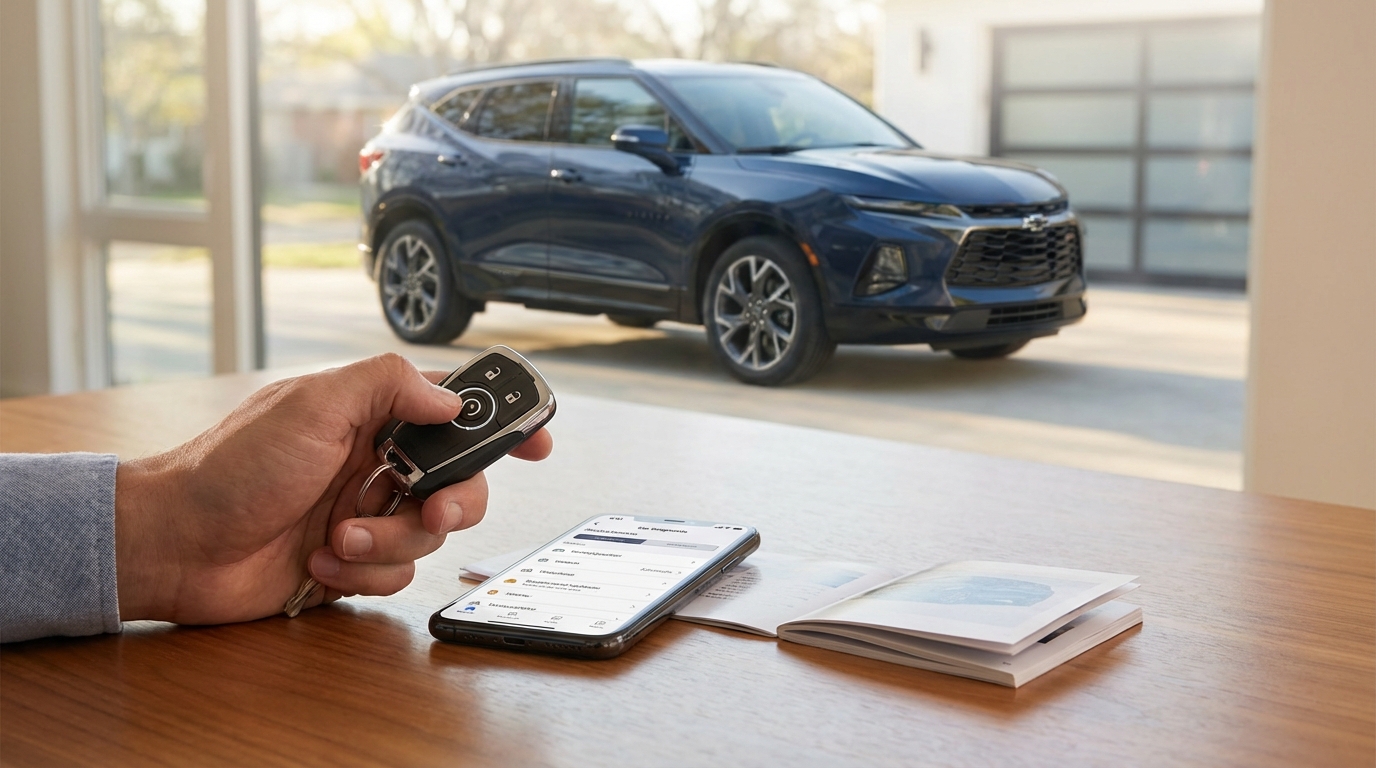
If your Chevy Blazer remote start isn't working, check your dashboard for a Check Engine Light first. If that light is on, the car disables remote start for safety. If the dash is clear, the next most likely culprit is a dead battery in your key fob (CR2032) or you simply forgot to press the "Lock" button before holding down the start button. The car must be locked for the remote start to engage.
Key Takeaways
- Sequence Matters: You have to press Lock and then immediately press and hold the Remote Start button for at least 4 seconds.
- Check Engine Light: If your CEL is on, remote start is automatically disabled by the computer to protect the engine.
- Hood Latch: If the hood isn't latched tight, or the sensor is broken, the car won't start.
- Key Fob Battery: A weak CR2032 battery is the most common hardware fix.
- Limit Reached: You can only remote start the Blazer twice (for 10-15 minutes each) before you have to manually turn the ignition on.
The "Is It Me?" Checklist (User Error)
Look, I've done this a million times. You're rushing, its freezing outside, and you just mash the buttons hoping the engine roars to life. But Chevy designed the system to be a bit picky. Before we start tearing apart the key fob or looking under the hood lets just make sure we are doing the dance correctly.
The sequence is specific. You cannot just hold the start button. You need to press the Lock button first. It doesn't matter if the car is already locked, press it anyway. Then, immediately press and hold the Remote Start button (the one with the circle arrow). hold it for about 4 seconds until you see the turn signal lamps flash.
If you don't do it in that order, or if you wait too long between pressing lock and start, the Blazer ignores you. It's not broken, it just thinks your sitting on your keys.
The Two-Start Limit
Here is something a lot of people don't know. Chevy puts a limit on how many times you can remote start the vehicle without actually getting in and driving it. You get two remote starts. That is it. Each one runs for about 10 or 15 minutes depending on your model year.
If you remote started it, let the timer run out, then remote started it again to keep it warm, and let that timer run out... you're done. The remote start function is now locked out. You have to physically go to the car, unlock it, and turn the ignition on to reset the counter.
The Check Engine Light (The Big Safety Feature)
This is probably the most annoying but important feature. If your "Check Engine" light (CEL) is on, your remote start will not work. Period.
Why? Well, think about it. The remote start system is designed to run the car without you monitoring it. If the computer senses that something is wrong with the engine-could be an emissions leak, could be oil pressure, could be a misfire-it doesn't want to run the engine unsupervised. According to GM and most mechanics, this is a liability thing. They don't want your car overheating in the driveway while your drinking coffee inside.
Even if the light isn't currently on, if there is a "stored code" in the computer that hasn't been cleared, it might still block the signal. You can check this by going to an auto parts store like AutoZone; usually they scan codes for free.
Physical Issues preventing Remote Start
If your buttons are pressed right and your dashboard is clear of warning lights, we have to look at physical blockers. The Blazer has a bunch of sensors that act like safety switches. If any of these are tripped, the system says "No."
1. The Hood Latch Sensor
This is a classic. There is a sensor under the hood that tells the car if the hood is open. If the car thinks the hood is up, it won't remote start because it doesn't want to chop off a mechanic's fingers if they are working on the engine.
Sometimes the hood is closed, but the switch is dirty or bent. You can try opening the hood and slamming it shut firmly. If that doesnt work, you might need to locate the latch sensor and clean it off with some electrical contact cleaner. It's usually right near the locking mechanism at the front.
2. Hazard Lights are On
If you left your hazard flashers on, the remote start won't work. It sounds random, but it's part of the programming. Make sure the hazards are off.
3. Key Fob Battery is Dying
A dying key fob battery is tricky because it might still have enough juice to unlock the doors, but not enough to send the strong, sustained signal needed for remote start. Remote start requires a long press, which takes more power.
The battery is a CR2032. You can get them at any grocery store. To change it:
- Look for the small silver button on the side of the fob to release the physical emergency key.
- Pull the key out.
- Use the key (or a flathead screwdriver) to gently pry the two halves of the plastic fob apart.
- Pop the old battery out and put the new one in (positive side facing down usually, just match what the old one did).
- Snap it back together.
If you change the battery and it still doesn't work, you don't usually need to reprogram the remote. It should pick right back up.
Deep Dive: Vehicle Settings and "Valet Mode"
Sometimes, the car is fine, but the settings got messed up. This happens if your battery died recently or if you had the car in for service and they reset the infotainment system.
Go into your Blazer's infotainment screen (the touch screen). You want to look for Vehicle Settings. The path usually looks something like this:
Settings > Vehicle > Remote Lock, Unlock, Start
Inside that menu, look for an option that says "Remote Start." Make sure it is toggled ON. If this is switched off, the key fob can scream at the car all it wants, the car isn't listening.
Also, check if your car is in "Valet Mode." If Valet Mode is active, it restricts a lot of features to keep parking attendants from joyriding or messing with your settings. This usually blocks remote start too.
The Coolant and Oil Pressure Factor
We talked about the Check Engine light, but the car checks other vitals too. The computer (BCM or Body Control Module) checks oil pressure and coolant temperature immediately upon receiving the start signal.
If your coolant is too low, or the oil pressure sensor is giving a weird reading, the system aborts the start to save the engine. Usually, this would trigger a dash light, but not always instantly. If you are low on gas, that counts too! Most Chevy Blazers wont remote start if the fuel level is very low (usually when the low fuel light is on). It doesn't want to run the tank dry while idling.
Troubleshooting Steps: The "Hard Reset"
If you have checked the fob battery, the hood latch, and the settings, and you have no check engine light, you might need to reboot the car's brain. Cars are basically big computers now, and sometimes they get glitchy.
You can try a battery disconnect:
- Open the hood.
- Disconnect the Negative (-) terminal on the car battery. It's the black one. You'll need a wrench (usually 10mm).
- Leave it disconnected for about 15 minutes. This drains the capacitors in the computer modules.
- Reconnect the cable and tighten it.
This forces the Body Control Module to restart. Try the remote start again after this. Note that you might lose your radio presets or clock settings doing this, but it often fixes weird electrical gremlins.
Using the MyChevrolet App as a Backup
If your key fob is the issue-maybe the button itself is worn out inside-you can verify if the system works by using the MyChevrolet app on your phone. If you have the subscription (Chevy usually gives a few years free with new cars, but you might have to pay if it's older), you can start the car via satellite.
If the app starts the car but the key fob doesn't, you know 100% that the problem is the key fob hardware (the remote itself). You might need to buy a new fob and have a locksmith or dealer program it.
However, if the App gives you an error message like "Remote Start Failed," it will usually tell you why. It might say "Vehicle Not in Park" or "Hood Open." The app is actually a really good diagnostic tool because it gives you actual feedback, whereas the key fob just stays silent.
When to Call a Pro
Sometimes you just cant fix it in the driveway. If you have replaced the fob battery and ruled out the hood latch and check engine light, you might have a problem with the Remote Control Door Lock Receiver (RCDLR). Yeah, that's a mouthful.
This is the antenna module inside the car that listens for the key fob signal. If this burns out, your tire pressure sensors (TPMS) usually stop working too, because they use the same receiver. So, if your remote start is dead AND your tire pressure reading on the dash is showing dashes "--", your RCDLR module is toast. That is a dealer fix.
Frequently Asked Questions
Why does my Chevy Blazer flash the lights but not start?
If the lights flash, it means the car received the signal but rejected the request. This is almost always because of a safety inhibitor. Check to see if your hood is fully latched, if you have a Check Engine Light on, or if the "Remote Start" setting in the infotainment menu has been turned off.
Can I reset my Chevy remote start?
There isn't a specific "reset button" for just the remote start. However, disconnecting the car's negative battery terminal for 10-15 minutes acts as a full system reset for the body control module, which often fixes glitches with the remote start system.
Does low gas prevent remote start on Chevy Blazer?
Yes, it can. If the "Low Fuel" warning light is on, the system is programmed to disable remote start to prevent the vehicle from running out of gas while idling in your driveway.
How long will the Blazer run on remote start?
It typically runs for 10 minutes (some older models might be 15). You can extend the time by performing the remote start sequence again while it is running, which adds another 10 minutes to the timer. However, you can only do this twice before you must manually turn on the ignition.
Is there a fuse for remote start?
Remote start doesn't have one single fuse. It is integrated into the Body Control Module (BCM). However, checking the fuses for "BCM," "Keyless Entry," or "Theft Deterrent" is a good place to start if the system is completely dead.