
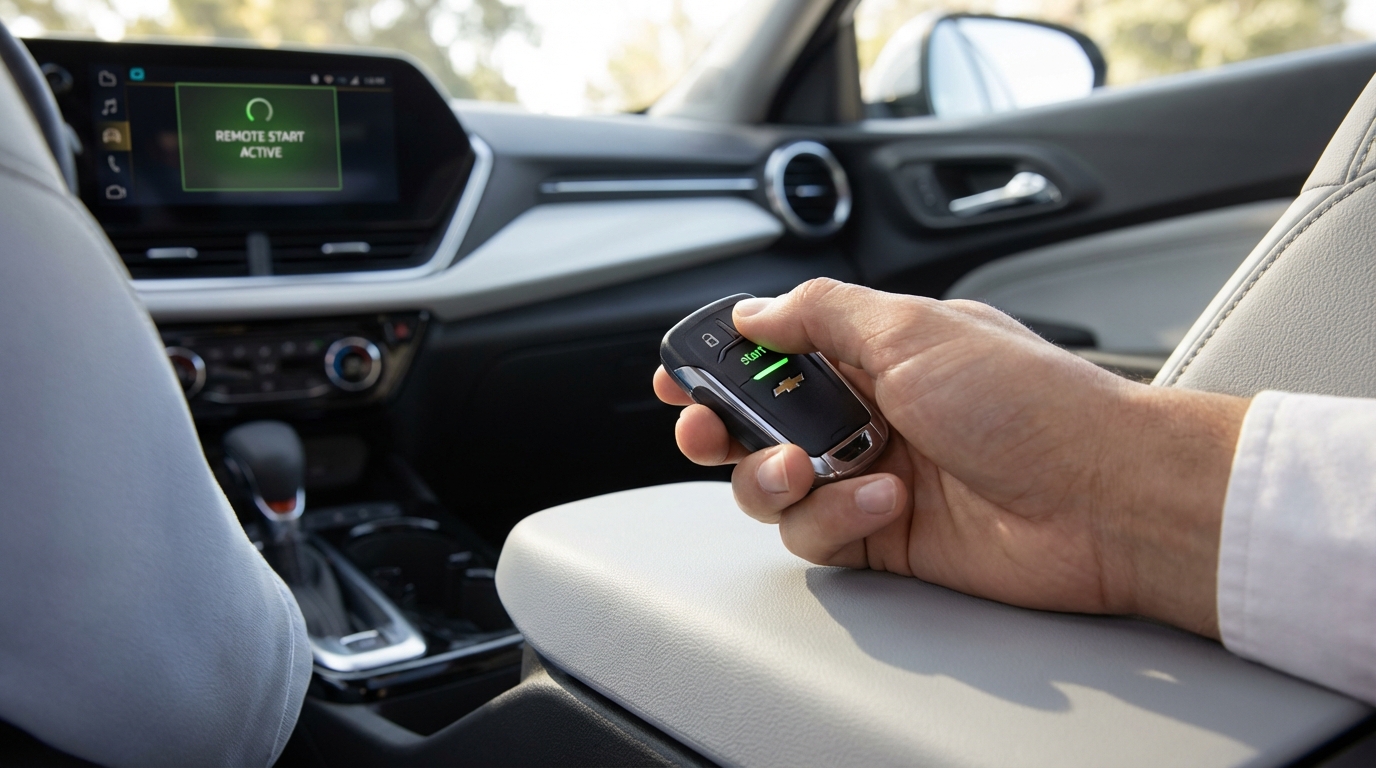
FIXED: Chevy Trax Remote Start Not Working
- The Check Engine Light: If your dashboard shows a check engine light, the remote start is automatically disabled by the computer.
- Hood Latch Sensor: A broken or dirty hood latch sensor is the second most common cause. The car thinks the hood is open.
- Wrong Button Combo: You must press Lock first, then immediately press and hold the start button (circular arrow) for at least 4 seconds.
- Battery Issues: Could be a dead key fob battery or a weak car battery.
- Settings Menu: Remote start might be toggled "Off" in the vehicle settings on your infotainment screen.
The most common reason your Chevy Trax remote start isn't working is that you have a Check Engine Light (CEL) on or a stored code in the computer. For safety reasons, Chevy disables the remote start system if the engine has any issues. The second most common reason is a faulty hood latch switch that is telling the car the hood is open when it isn't.
If you don't have a check engine light on, double-check your method. I've seen so many people get this wrong. You have to press the LOCK button on the fob, and then immediately press and hold the REMOTE START button (the curved arrow) for about 4 seconds until the lights flash. If you just press the start button, absolutely nothing will happen.
That is the short answer. But if you're standing in your driveway freezing because your Trax refuses to warm up, we need to dig deeper. I've helped a few buddies with this exact issue on their Chevys, and its usually something simple.
1. The "Check Engine Light" Safety Feature
This is the big one. General Motors (Chevy's parent company) programmed the Trax to disable remote start if the Onboard Diagnostics (OBDII) system detects a fault.
Why do they do this? It's actually to protect your car. Remote starting involves the engine running without you sitting in the driver's seat to monitor gauges. If the oil pressure is low, or the engine is misfiring, the car doesn't want to run unmonitored and destroy itself.
Even if the light isn't currently glowing on your dash, there might be a "stored code" in the history. This happens sometimes if a sensor glitched out for a second and then started working again. The computer remembers.
How to fix it:
You need to scan the car. You don't have to go to the dealership for this. You can go to almost any auto parts store (like AutoZone or O'Reillys) and they will plug a scanner in for free to see if there are error codes. If you clear the codes and the light stays off, your remote start should work again immediately.
2. The Hood Latch Sensor (The Silent Killer)
I call this the silent killer of remote starts because it doesn't always throw a warning light. There is a small switch inside the latch mechanism under the hood of your Trax. Its job is to tell the car's computer, "Hey, the hood is closed."
This is a safety feature for mechanics. Imagine if a mechanic was working on your engine with their hands near the fan belt, and you accidentally remote started the car from inside the house. That would be bad. So, if the car thinks the hood is up, remote start is dead.
On the Chevy Trax, this sensor gets dirty, greasy, or just breaks. If the sensor fails, the circuit stays "open," and the car assumes the hood is up.
Troubleshooting the hood latch:
- Pop the hood and look at the latch mechanism.
- Look for a wire coming out of the bottom or side of the latch.
- Use some electrical contact cleaner or even just compressed air to blow out gunk.
- Check if the connector is loose.
If you have a dashboard message that says "Hood Open" even when you slam it shut, this is 100% your problem.
3. Key Fob Battery and Range
Sometimes the simplest answer is the right one. Your key fob runs on a small coin battery (usually a CR2032). If that battery is getting weak, it might have enough juice to unlock the doors from close range, but not enough power to send the complex remote start signal, which requires a longer "handshake" with the car.
Also, keep in mind that the remote start range is different than the unlock range. You might be able to lock your car from inside the grocery store, but the remote start signal is more sensitive to interference.
Pro Tip: Try your spare key. If the remote start works with the spare key but not your main key, you know it's the battery or the buttons on that specific fob.
4. Check Your Vehicle Settings
Did you or someone else disconnect the main car battery recently? Or maybe you just got an oil change and the tech was messing with the menu? Sometimes the remote start setting gets toggled off in the infotainment system.
It sounds silly, but check it. Here is how you generally find it (it varies slightly by year):
- Go to Settings on your touchscreen.
- Select Vehicle.
- Look for Remote Lock, Unlock, Start.
- Make sure Remote Start is set to "On".
If this was turned off, no amount of button mashing will make the car start.
5. The "Two Starts" Rule
According to the Chevy manual, you are only allowed two remote starts (or one start and one "extension") between ignition cycles. This means you can remote start it once (runs for 10-15 mins), and extend it once (another 10 mins).
After that, the car says "Enough." You have to physically go out to the car, put the key in the ignition (or press the push-to-start button with the fob inside), and turn the car on. This resets the counter.
If you've been playing with the fob trying to get it to work and it started and stopped a couple of times, you might have hit this limit without realizing it.
6. Hazard Lights are On
This is a weird one, but I've seen it happen. If your hazard lights (flashers) are on, the remote start system is disabled. I'm not entirely sure why Chevy engineers did this, maybe to prevent confusion if the car is broken down on the side of the road, but it's a thing.
Make sure the hazard button isn't pressed.
7. Coolant and Oil Pressure
The car's computer is smart. It checks the vitals before cranking. If the engine coolant temperature is too high (overheating) or the oil pressure is reading dangerously low, it will refuse to start to prevent damage.
Usually, this would be accompanied by that Check Engine Light we talked about earlier, but sometimes it's just a sensor reading that is out of spec but hasn't thrown a code yet.
8. Valet Mode
Does the Chevy Trax have a Valet Mode? Some higher trim levels do. If Valet Mode is engaged, it restricts a bunch of features so the parking attendant can't joyride your car or snoop through your infotainment. Remote start is often disabled in this mode. Check your owner's manual to see if you have this and how to disable it (usually requires a PIN).
9. Broken Door Switches
Just like the hood latch, your doors have sensors. If one of the door sensors is broken and thinks a passenger door is slightly ajar, the remote start wont work. The car needs to be fully "secure" before it will start remotely.
Check your dashboard. Does it show a "Door Ajar" warning? If so, walk around and slam all the doors and the trunk (liftgate). The liftgate on the Trax can be finicky if something is caught in the latch area, like a piece of cargo or a floor mat.
10. Low Fuel Level
This is one people forget. If your gas light is on, or you are very low on fuel, the remote start might not engage. The logic here is pretty sound: you don't want to remote start your car to warm it up, only to have it run out of gas in your driveway 10 minutes later.
Chevy generally disables this feature if the fuel level is critically low. Go fill up the tank and try again.
Resetting the System (The "Hard Reboot")
If you have checked the engine light, the hood latch, the battery, and the settings, and it still won't work, you can try a hard reset. Think of this like restarting your laptop when it freezes.
Warning: This will reset your radio presets and clock.
- Open the hood.
- Use a wrench (usually 10mm) to disconnect the negative (black) battery terminal.
- Leave it disconnected for about 15 minutes.
- Reconnect it and tighten it down.
- Start the car manually with the key first.
- Turn it off, lock it, and try the remote start.
This resets the Body Control Module (BCM), which is the computer brain that controls locks and remote start. Sometimes the BCM just gets confused and needs a nap.
Aftermarket Remote Starters
Everything I wrote above applies to the factory Chevy remote start. If you bought your Trax used, it might have an aftermarket starter installed (like a Viper or Compustar). These are totally different animals.
If you have an extra little fob on your keychain that isn't the Chevy one, you have an aftermarket system. These usually have a "valet switch" hidden under the dashboard near the driver's knees. If that switch gets flipped, the system turns off. Look for a small toggle switch under the steering column and flip it.
When to Visit the Dealer
I hate going to the dealership as much as you do. It's expensive and takes all day. But if you have replaced the fob battery, verified there are no check engine lights, and checked the settings, you might have a bad BCM or a receiver antenna issue.
The receiver for the remote keyless entry is buried in the dashboard. If that part fails, you can't fix it in your driveway. You'll need a dealer to replace it and reprogram the keys to the new module.
Also, if you recently got a new key cut, it might not be programmed correctly for remote start. The key might start the car in the ignition, but if the "RPO codes" weren't updated or flashed correctly, the remote functions might lag.
Summary of the Start Sequence
Just to be absolutely sure, lets review the exact sequence one more time. I know, I know, you know how to do it. But humor me.
- Aim the fob at the car.
- Press LOCK. (You should hear the horn honk or lights flash).
- Immediately press and hold the START button (circular arrow).
- Hold it for at least 4 seconds.
- The turn signal lamps should flash to confirm the request.
- The engine should start.
If the lights flash three times rapidly but the car doesn't start, that is a specific code from the car telling you "I received the signal, but I am refusing to start." That almost always points back to a Check Engine Light or Hood Latch issue.
Frequently Asked Questions
Q: Can I add remote start to my Chevy Trax if it didn't come with it?
A: Yes, you can. You can buy a factory upgrade kit from GM. It usually comes with new key fobs and a code that the dealer has to flash to your car's computer. There are also plug-and-play aftermarket kits that use your existing key fob (usually pressing Lock-Unlock-Lock).
Q: Why do my lights flash but the car won't start?
A: If the parking lights flash but no engine crank happens, the car is rejecting the request. This is usually due to a safety inhibitor like the hood latch being open, a door ajar, hazard lights on, or a Check Engine Light code.
Q: How long will the Trax run on remote start?
A: It runs for 10 minutes. You can extend it for another 10 minutes if you repeat the start sequence while it is running. After 20 minutes total, it shuts off.
Q: Does remote start turn on the heater or AC?
A: Yes! It generally turns on the system to the last setting you left it on. However, if you have the automatic climate control option, it will sense the outside temp. If it's cold, it turns on the heat and defroster. If it's hot, it blasts the AC. It might even turn on your heated seats if you have that setting enabled in the menu.
Q: Will the car drive away if I remote start it?
A: No. The doors remain locked. Even if someone breaks the window and jumps in, the car will shut off as soon as they touch the brake pedal or try to put it in gear unless the actual key is in the ignition (or the fob is inside the car for push-to-start models).
Q: My key fob battery is new, but it still won't work.
A: If the battery is new, check the metal contacts inside the fob. Sometimes they get bent and don't touch the battery properly. Also, make sure you put the battery in the right way (positive side usually facing up).